Following our recent improvements to feedback on Match My Project, we’re excited to share what’s now arrived.
We heard you.
Authority users told us they needed more flexibility when managing feedback data — particularly when discrepancies arise or corrections are needed outside the standard editing window.
That’s why we’ve introduced five new features designed to give you greater control, improve data accuracy, and make feedback management more practical for real-world scenarios. These build on the foundations we laid in Part 1.
Here’s what’s now live…
✅ More confidence in the data
A new verification step has been added to the feedback process to give you more confidence in project reports.
Now, the second organisation to give feedback either confirms the time, donations and resource value spent on the project – or adds their own version.
For new feedback, you’ll see:
- An initial figure, given by the first organisation to share feedback
- Either a verified badge to confirm the figure was accurate, or a revised figure
Where different figures are given, you can choose which to use.
✅ Choose reporting data for more accuracy
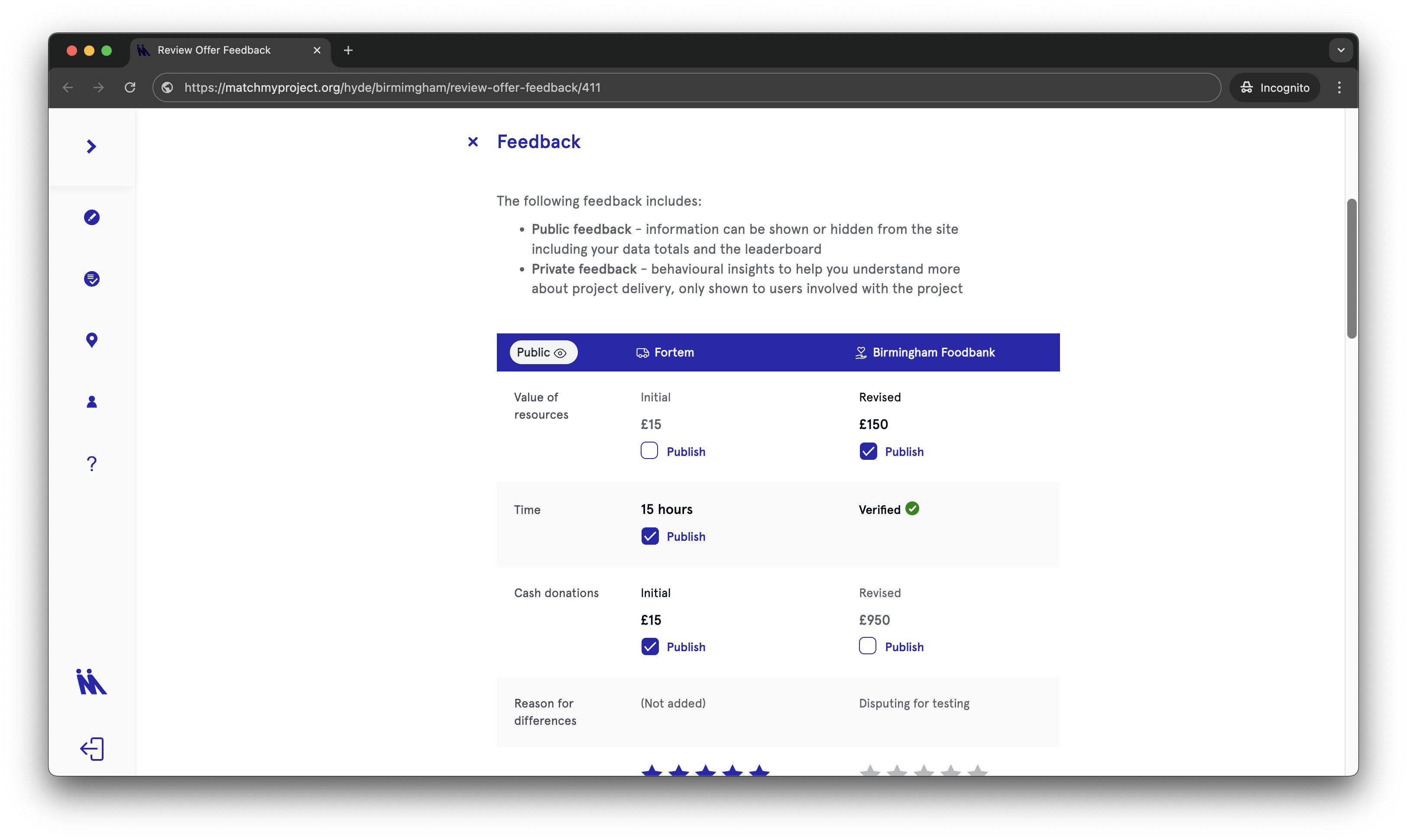
The authority feedback review process has been revamped to give you more flexibility and control over what’s included in your data, including the figures shown publicly on your homepage and in the data download.
You’ll be able to show and hide data points one by one. This means if something is incorrect, it can be hidden without affecting the rest of the data.
You can also choose between figures entered by the community organisation or supplier, if they’ve reported differently:
- Value of resources
- Value of donations
- Hours spent on the project
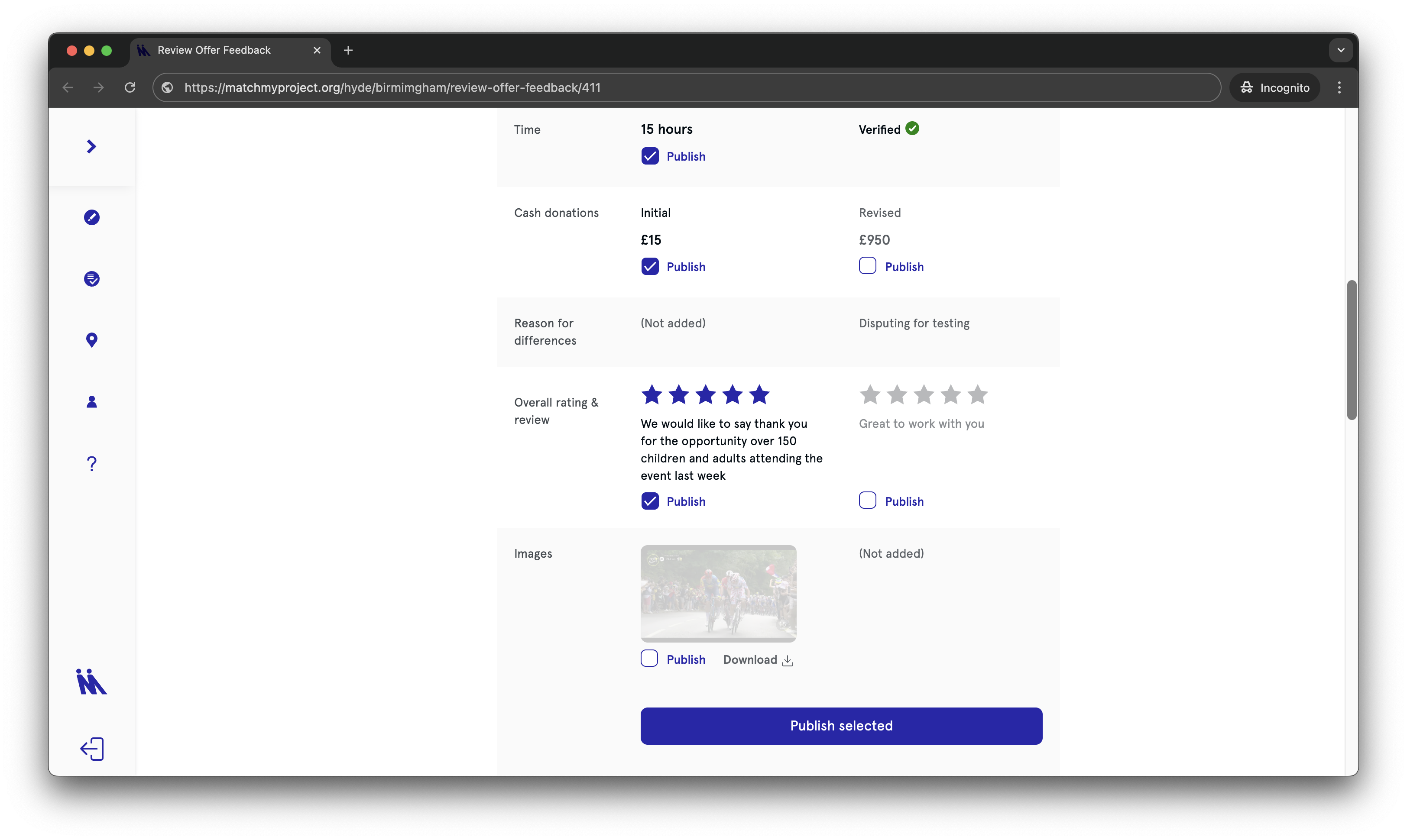
Finally, choose which reviews and images to publish.
- You can choose to hide everything if you need to
- You can still easily edit what’s shown and hidden, even after publishing
✅ It’s clearer when feedback’s been reviewed
Previously, the ‘Review feedback’ button disappeared after viewing feedback, even if you hadn’t published it yet. This meant there was no way of knowing what was left to review.
From now on, the ‘Review feedback’ button will only be removed from the card after you’ve actively reviewed and published feedback.

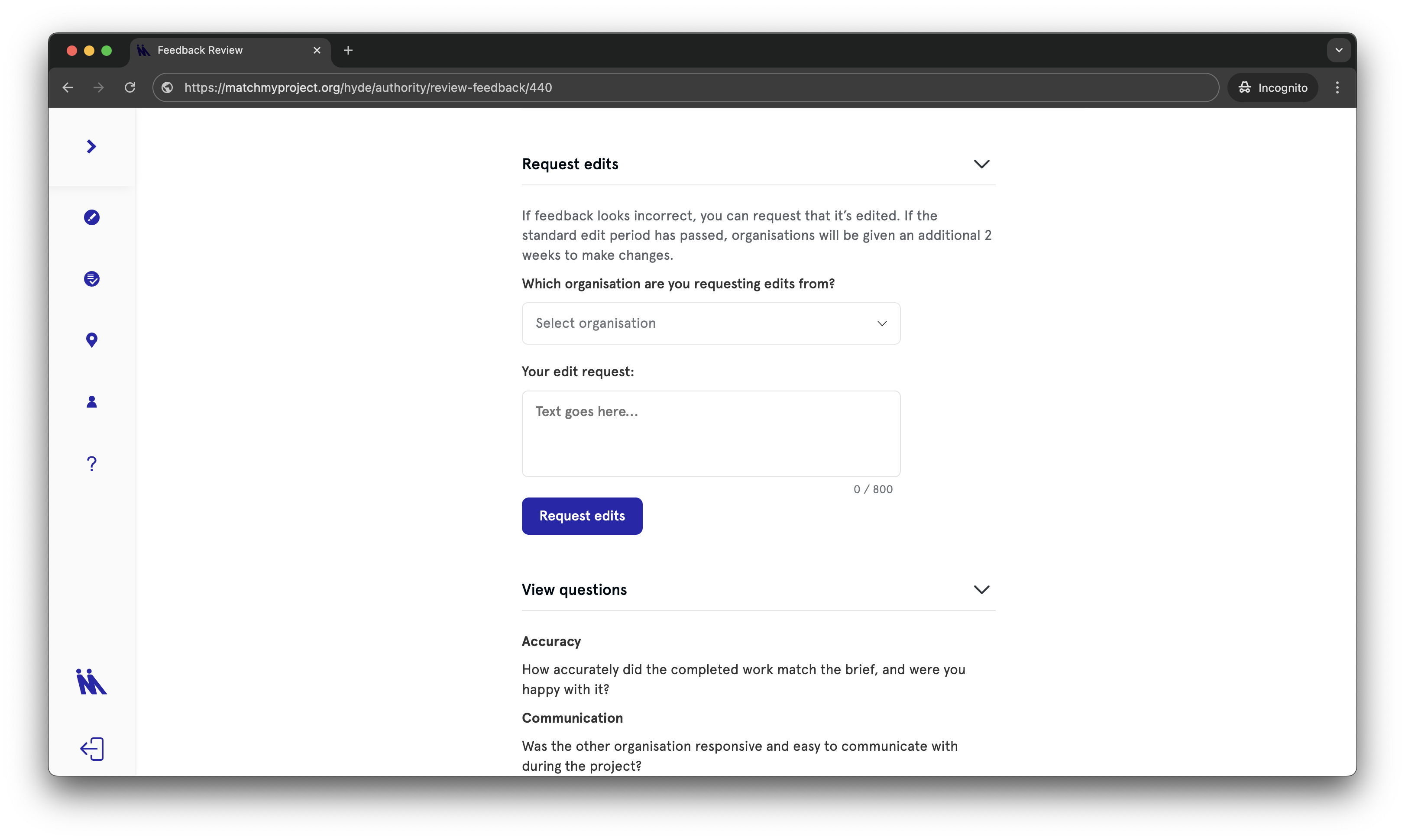
✅ You can easily request edits within the platform
Getting organisations to update feedback is now simple — no emails required.
Just select which organisation you’d like to edit feedback and enter a description of what you’d like edited.
The user will be notified and the edits will be tracked at the bottom of the section.
If the standard edit period has passed, organisations will be given an additional 2 weeks to make changes.
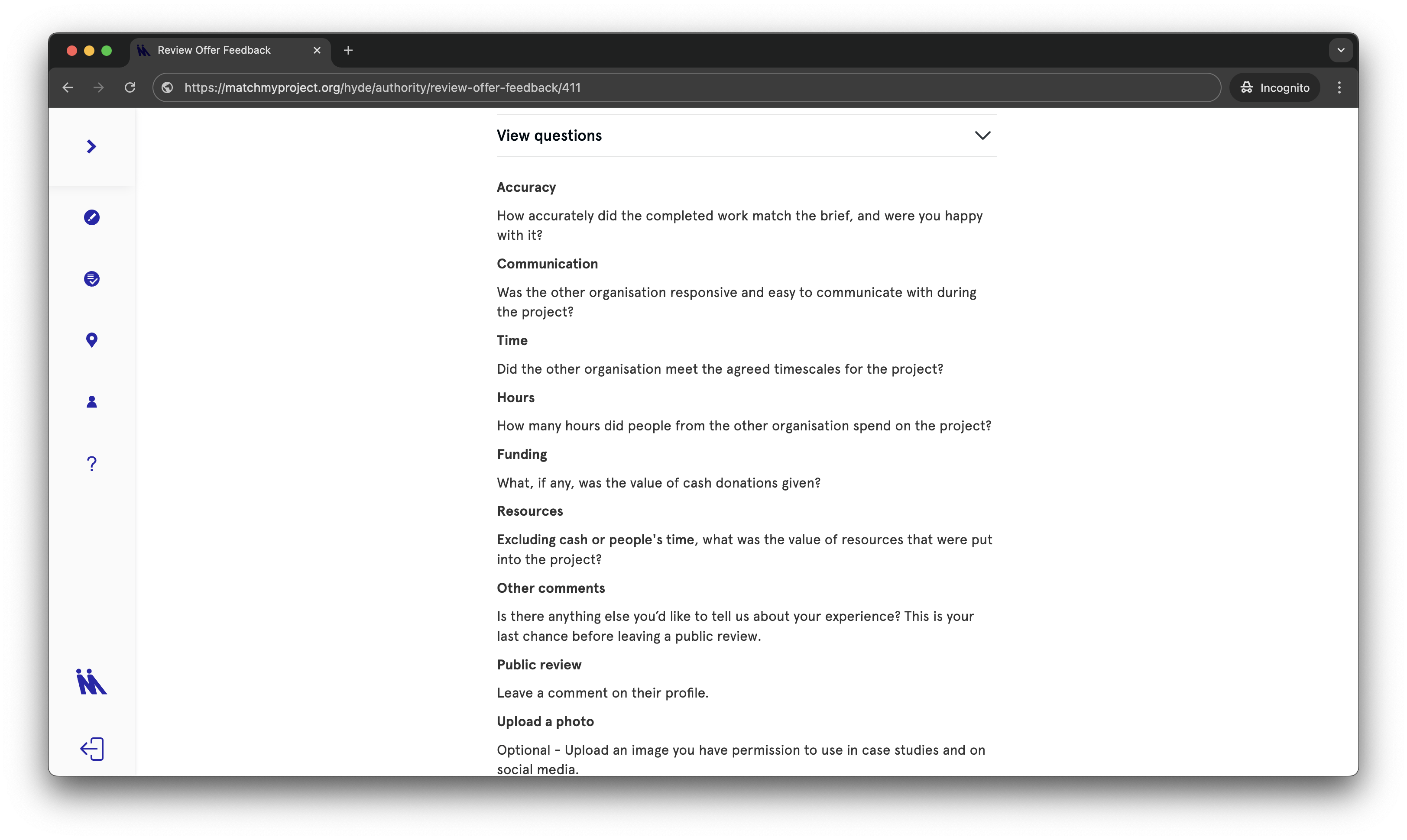
✅ Increased visibility of questions
Previously you weren’t able to see feedback questions.
The questions answered by the organisations are now visible at the bottom of the feedback section.
Recap on Feedback Updates: Part 1 here.
💡 Have suggestions for future updates? We’d love to hear them. Email us at support@matchmyproject.com.