Nobody wants to miss an opportunity. But too many emails, or the wrong ones, can mean the important stuff gets lost.
We’ve updated your notification settings so you can choose exactly what you hear about, and when.
✅ Hear about the right projects
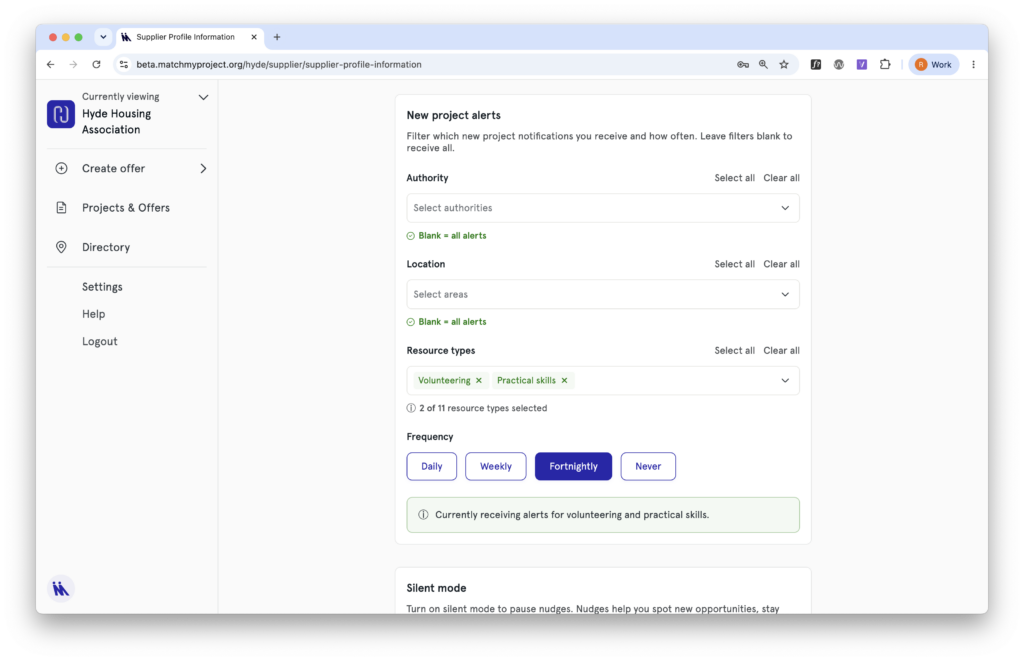
If you work across multiple authority areas, or only want to hear about specific types of support, you can now filter your new project alerts by authority, location, and resource type. That means less noise, and more of the projects that are actually relevant to you.
You can also choose how often you hear from us: daily if you want to be first to respond, or fortnightly if you prefer a digest. And if you’re taking a break from matching, you can set alerts to never.
✅ Stay on top of your matches
By default you’ll receive notifications about the matches you own. If you need wider visibility across your organisation – for example if your team shares responsibility for social value – you can switch on notifications for all matches, so nothing slips through.
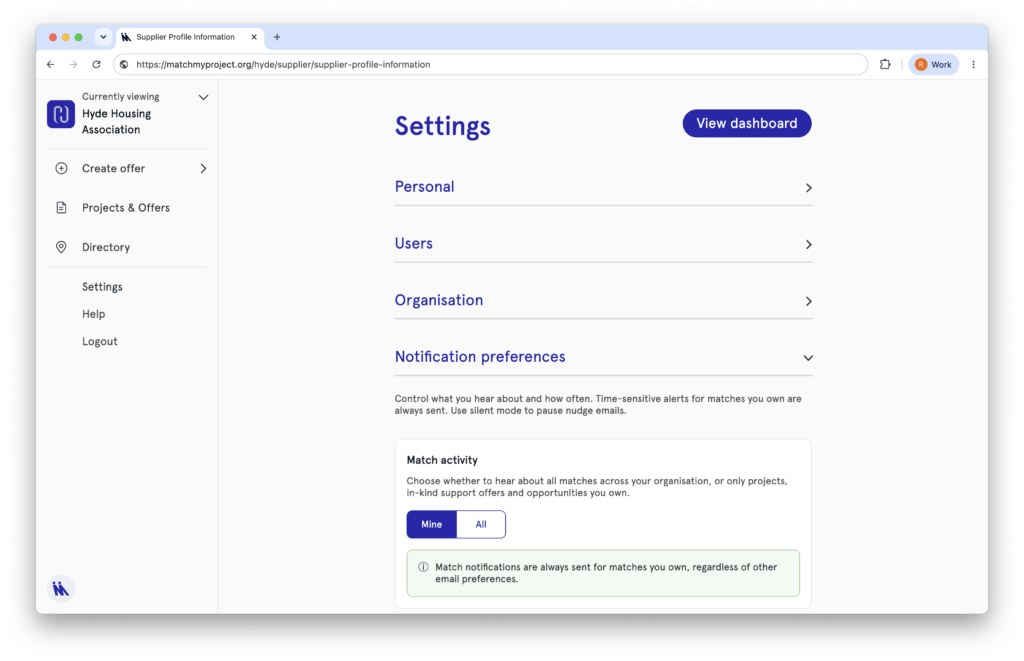
✅ Too many emails? Try silent mode
Silent mode pauses nudge emails – things like reminders to complete a draft offer or update one that’s about to expire. It won’t affect your match notifications or new project alerts, which you can manage separately in your settings.
We’d recommend keeping nudges on if you can – they’re designed to help you stay visible to community organisations and keep your social value activity ticking over. But if your inbox needs a break, silent mode is there.
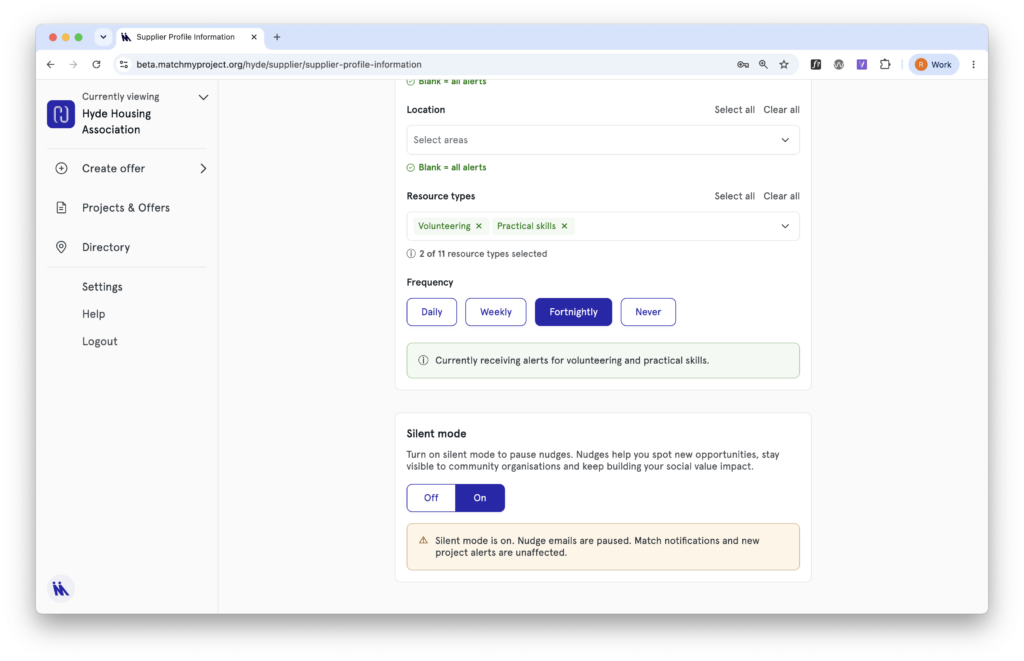
Find your notification settings under Settings > Notification preferences.
💡 Have feedback or suggestions for future updates? We’d love to hear them. Email us at support@matchmyproject.com.