You can now generate case studies from your completed projects, with authority approved project detail, drafted for you.
What’s available
✅ Case studies can be generated automatically once a project is complete and the authority has approved feedback – you’ll be notified when one’s ready.
✅ AI drafts the first version from your project details, activities, and the authority’s feedback; each section is editable and can be regenerated individually.
✅ Share a preview link, PDF, or .txt file with your marketing team for feedback before publishing.
✅ Publish for discovery on MMP and your landing page, or keep it unpublished and share internally only.
✅ Manage, edit, unpublish, or delete at any time.
What it means
Save time
Writing up project outcomes is time-consuming. Content’s often deprioritised once delivery ends, and even when the detail’s all there, shaping it into an impactful narrative takes real effort. This drafts that narrative for you from your project data, so your team proofs it instead of writing it from scratch; and it stays in one place if you want to reuse or reshare it later.
Easily collaborate with marketing
Marketing teams often can’t get hold of the raw material to write case studies themselves. Without it, some stories never get told at all. A preview link means they can review and approve directly, no chasing required.
Choose your audience
You control what’s published publicly or available by an unlisted link. So you can motivate your team internally without publishing a case study prematurely.
How it works
1. Go to the marketing tools section of the sidebar and select ‘Case studies’.
You’ll see a list of completed projects that you can create case studies from. These are projects where feedback has been completed by both parties and approved by the Authority. The marketing tools section is authority agnostic, so you can manage all your case studies here, regardless of which authority you’re viewing.
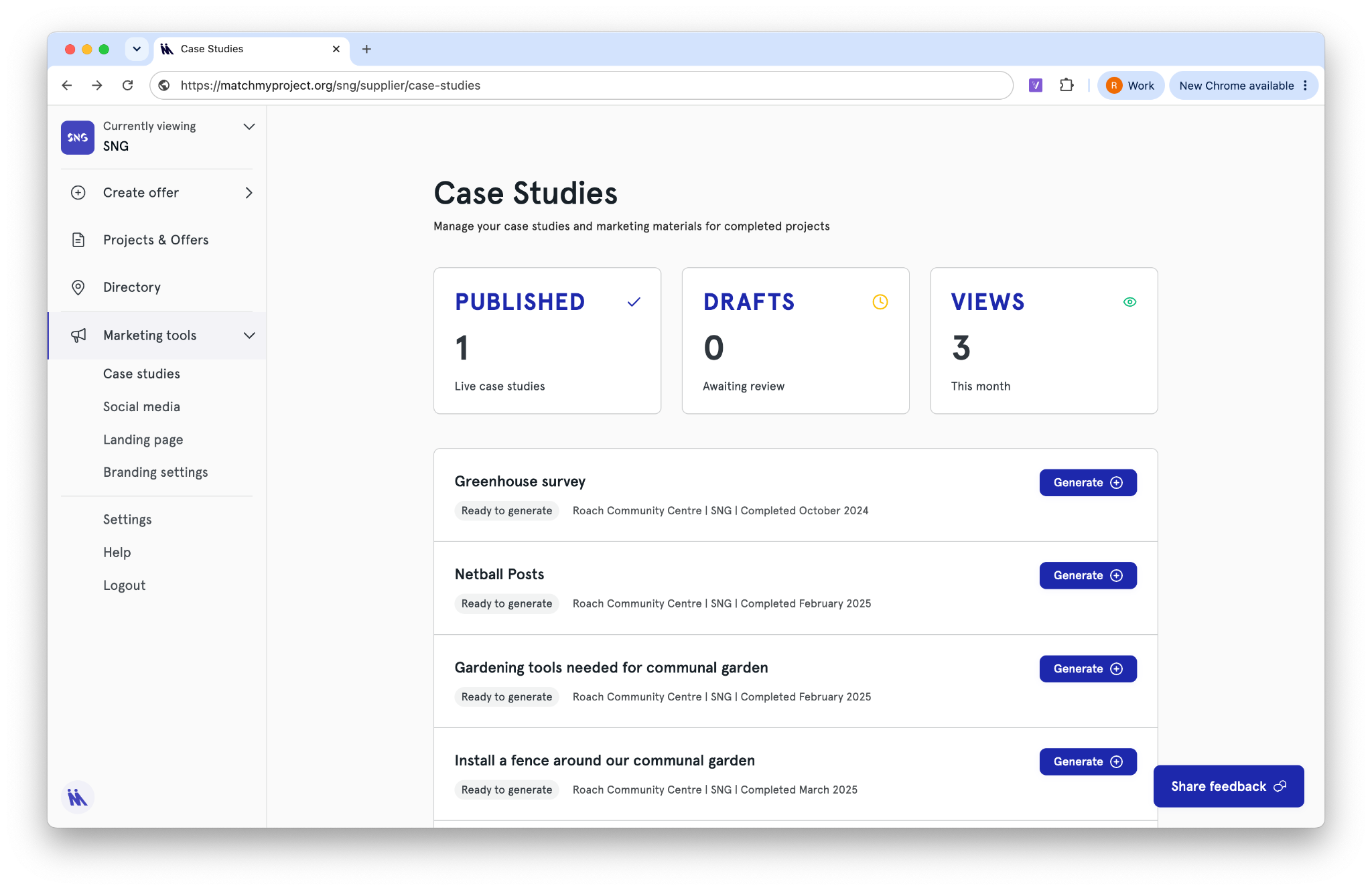
2. Select ‘generate’ to start creating your case study. It takes around 1 minute to draft from your project.
3. Review the draft to make sure it matches what happened during the project and make any necessary changes.
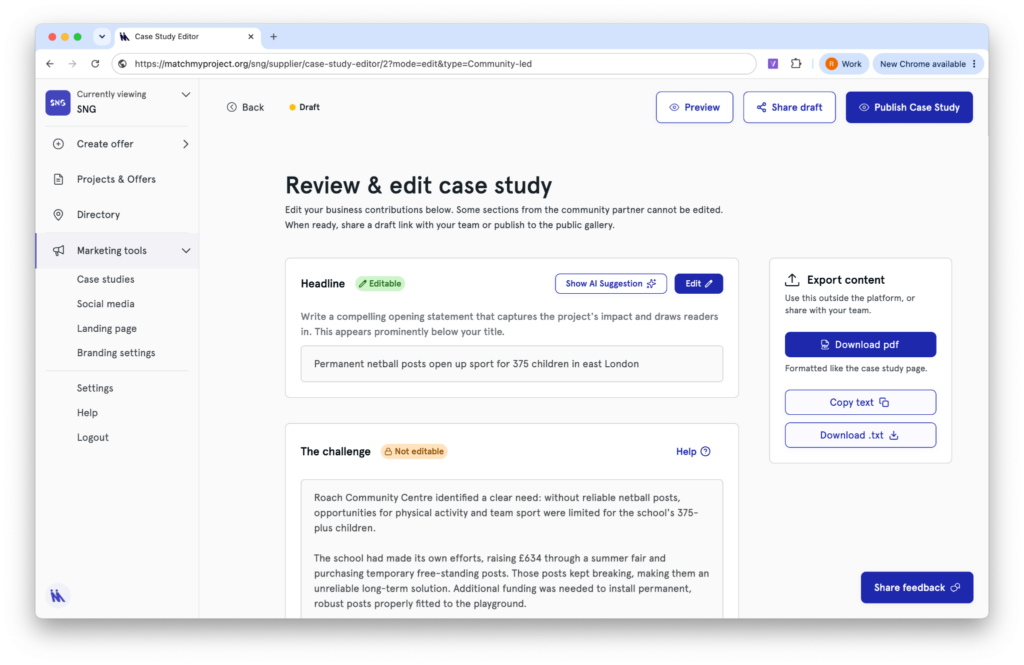
If you choose to edit, you can still view the placeholder content by selecting ‘view AI suggestion’.
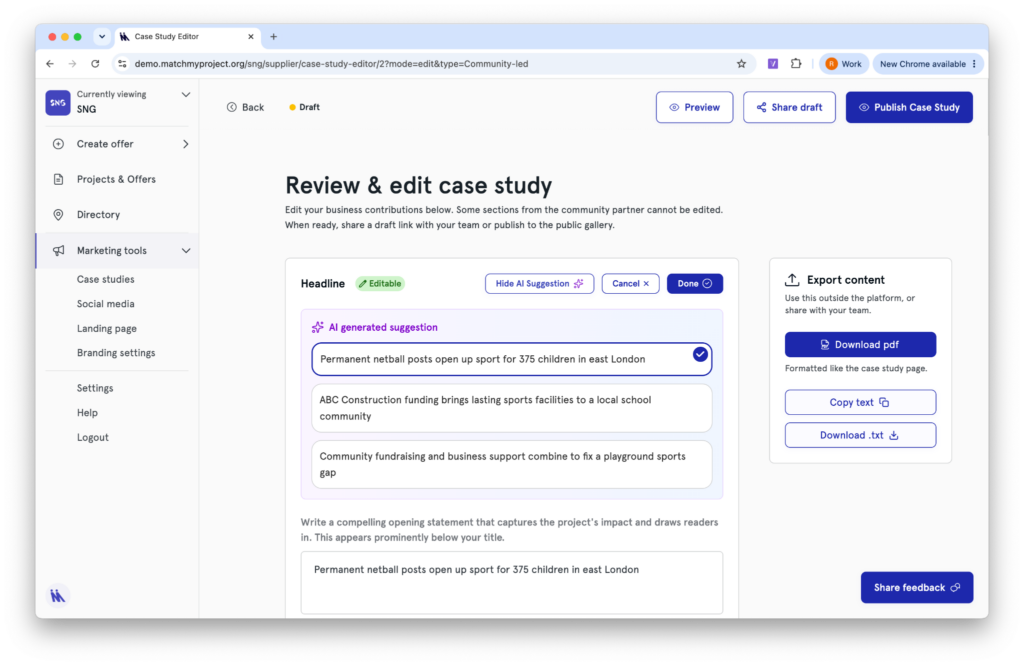
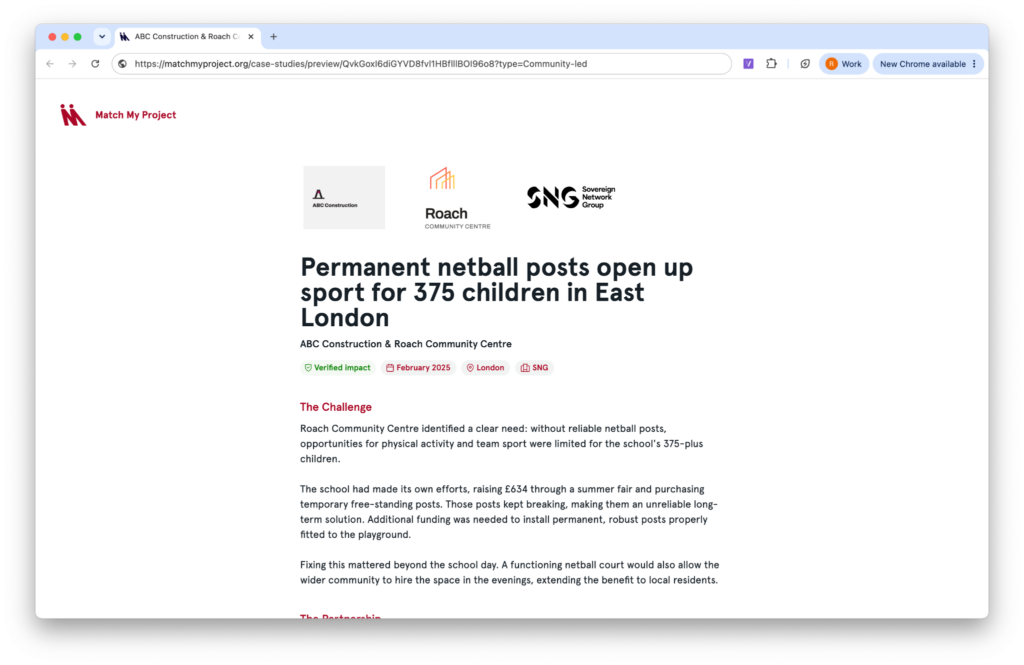
4. Preview your case study anytime using the preview link in the top right.
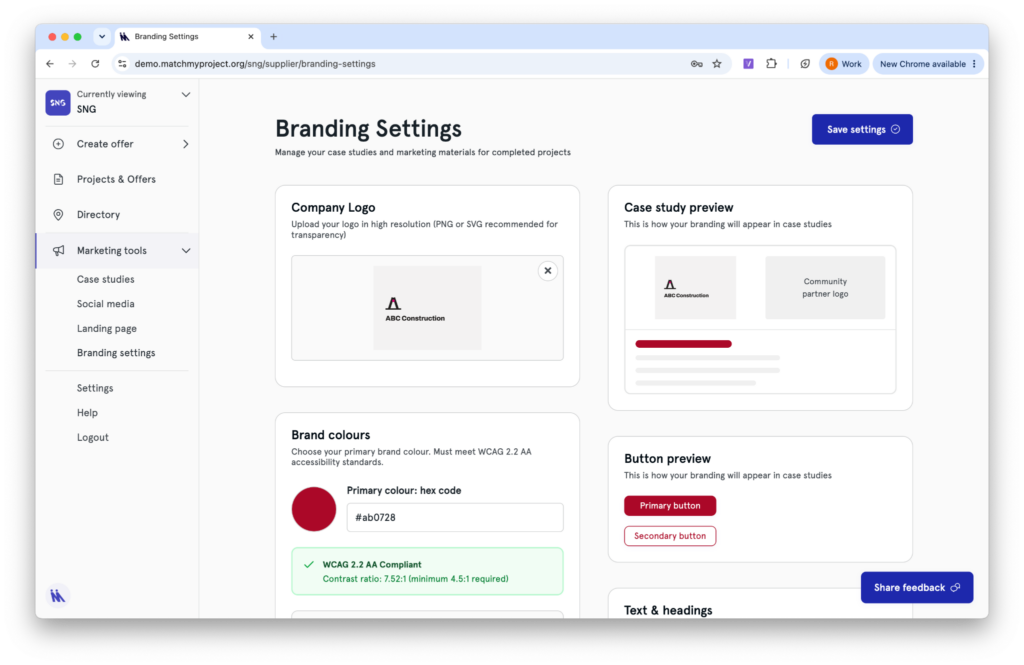
5. Update your logo and colour theme by visiting ‘Branding settings’ in the sidebar.
6. Before publishing, you can share with your team, share via link or export content.
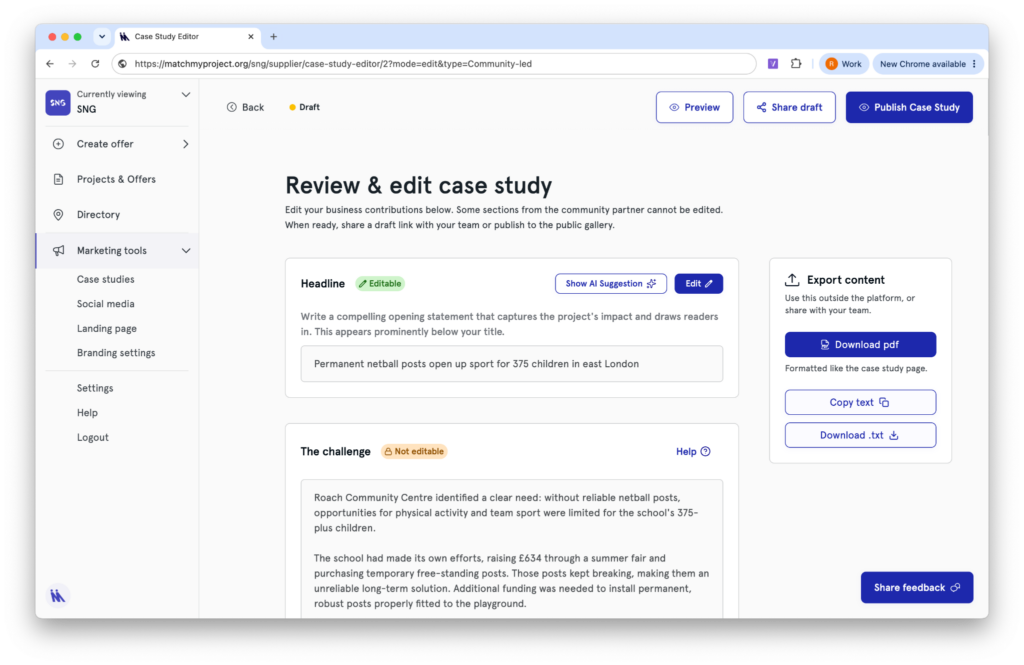
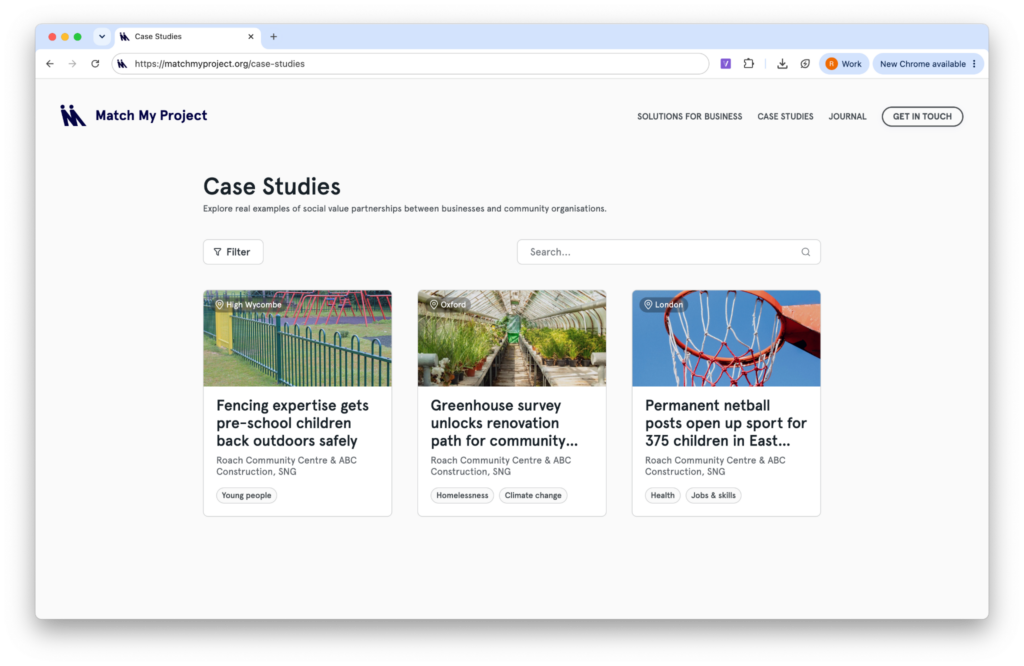
7. Once ready click ‘Publish’. Your published case studies will be visible at matchmyproject.org/case-studies
Once your case study is created, go to ‘Social media’ to post about it!
If you run into any problems, use the ‘Share feedback’ button in the bottom right of the case study editor page.