Background
Match My Project has been adapted for a single licence to be used by a group of authorities, starting with East Midlands Combined County Authority.
Authorities in the network (city and county councils, for example) can track which applications and matches are linked to their organisation, both on the site and in the data download.
Under a single licence, the platform is intended to be managed as a single account by the authority – using a joint approach towards outcomes and approval criteria, for example.
How tagging works
This section outlines how and where in the workflow applications and matches are linked with individual authorities in the network. There’s a step-by-step guide with screenshots at the end of this article.
Applications
When community organisations and businesses apply to join the site, they answer questions to identify any existing relationships with the authorities in the network. This information is used to help the authority review and approve organisations.
| Signup form | New questions |
| Community organisation signup form | Which authorities do you work in? Have you received funding or been contracted by any of the authorities? If so, which one(s)? |
| Supplier signup form | Do you have a current contract with any of the authorities? If so, what is the title? |
There are three types of matches which need to be attributed to authorities: community initiated matches, supplier offers and jobs and training opportunities.
Community initiated projects
| User action | Tagging action | Visibility |
| Community organisation creates a project | Selects all the authorities where the project outcomes will be delivered | Displayed in the project information throughout the project |
| Authority reviews project | (Option to edit the local authority tags) | (As above, updated) |
| Supplier offers to complete the project | From the selected tags, chooses a single authority who the match is attributed to – and whether the project is for Social Value or CSR | Displayed in the business outcomes from the point of match, visible to supplier and authority |
| Authority reviews the project (in progress or completed) | (Option to edit the tag selected by the supplier) | (As above, updated) |
Supplier in-kind support offers
| User action | Tagging action | Visibility |
| Community organisation requests in-kind support | Selects all the authorities where the project outcomes will be delivered | Displayed in the project information throughout the project |
| Authority reviews request | (Option to edit the local authority tags) | (As above, updated) |
| Supplier matches to the project | From the selected tags, chooses a single authority who the match is attributed to – and whether the project is for Social Value or CSR. | Displayed in the business outcomes from the point of match, visible to supplier and authority |
| Authority reviews the project (in progress or completed) | (Option to edit the tag selected by the supplier) | (As above, updated) |
Jobs & training opportunities
| User action | Tagging action | Visibility |
| Supplier marks the opportunity as completed | Tags the opportunity to an authority, either based on the candidate location or the location of the opportunity. | Visible to the authority. |
| Authority reviews completed opportunity | (Option to edit the tag) | (As above, updated) |
Filtering by authority
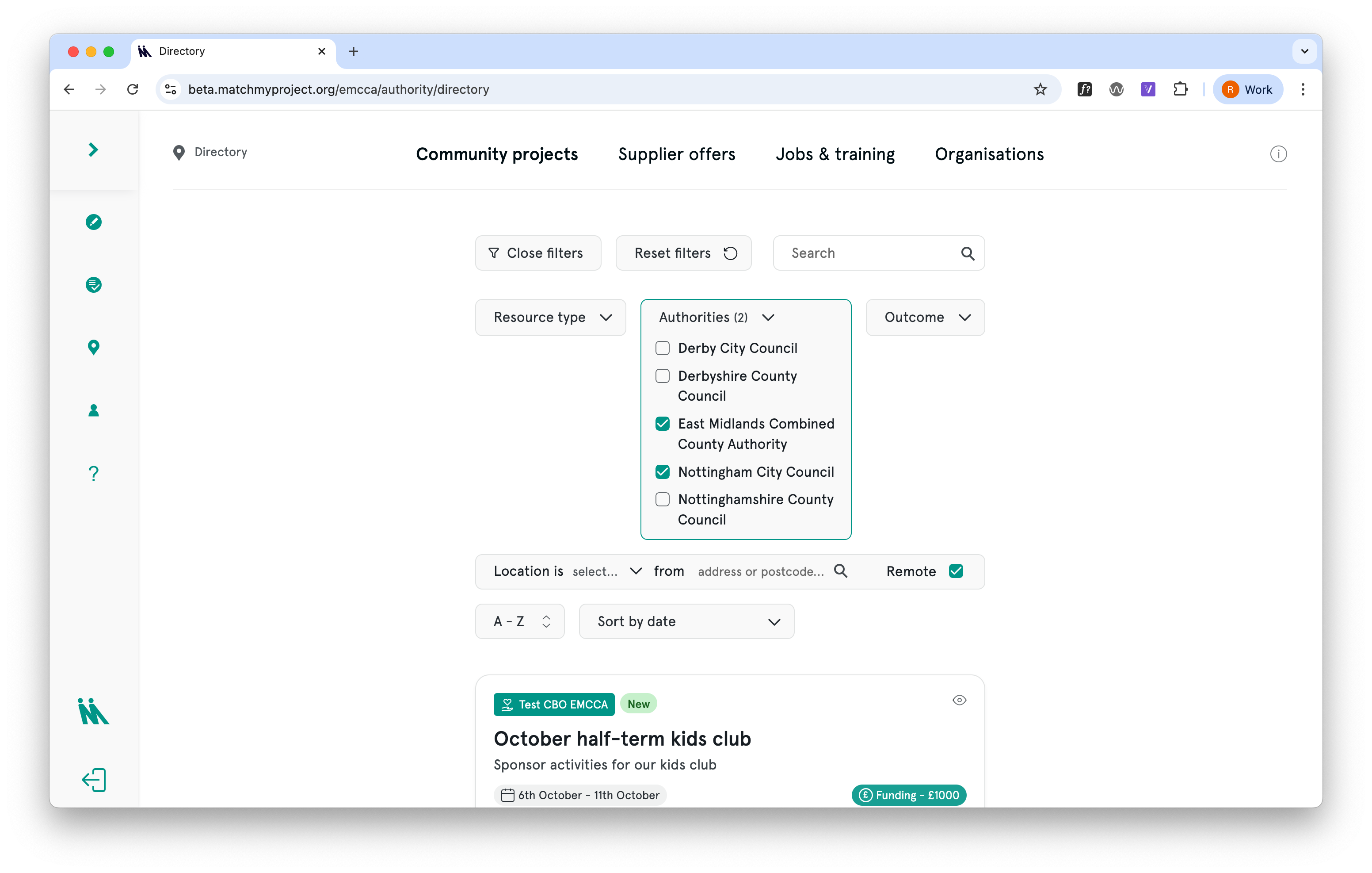
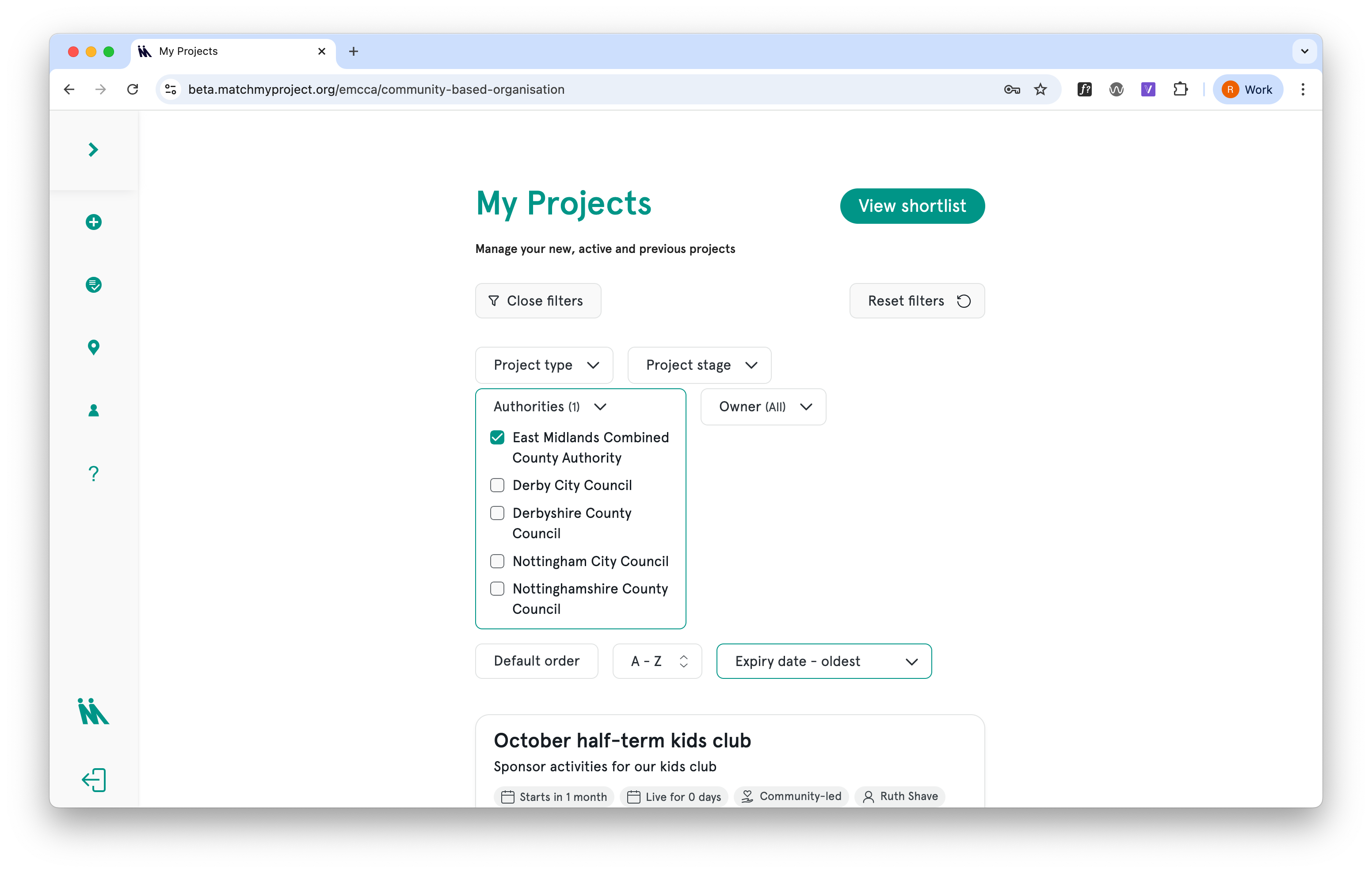
You can filter by authority in the Directory and My Projects.
| Filter location | Filter by… | Why filter? |
| Community project directory | Community outcomes tag(s) | Help supplier find relevant projects |
| My Projects | Pre-match community projects by community outcomes tag(s) Matched projects & offers by supplier tag Jobs & training opportunities by completed tag | To help with reporting |
Filtering in the Directory
Filtering in My Projects
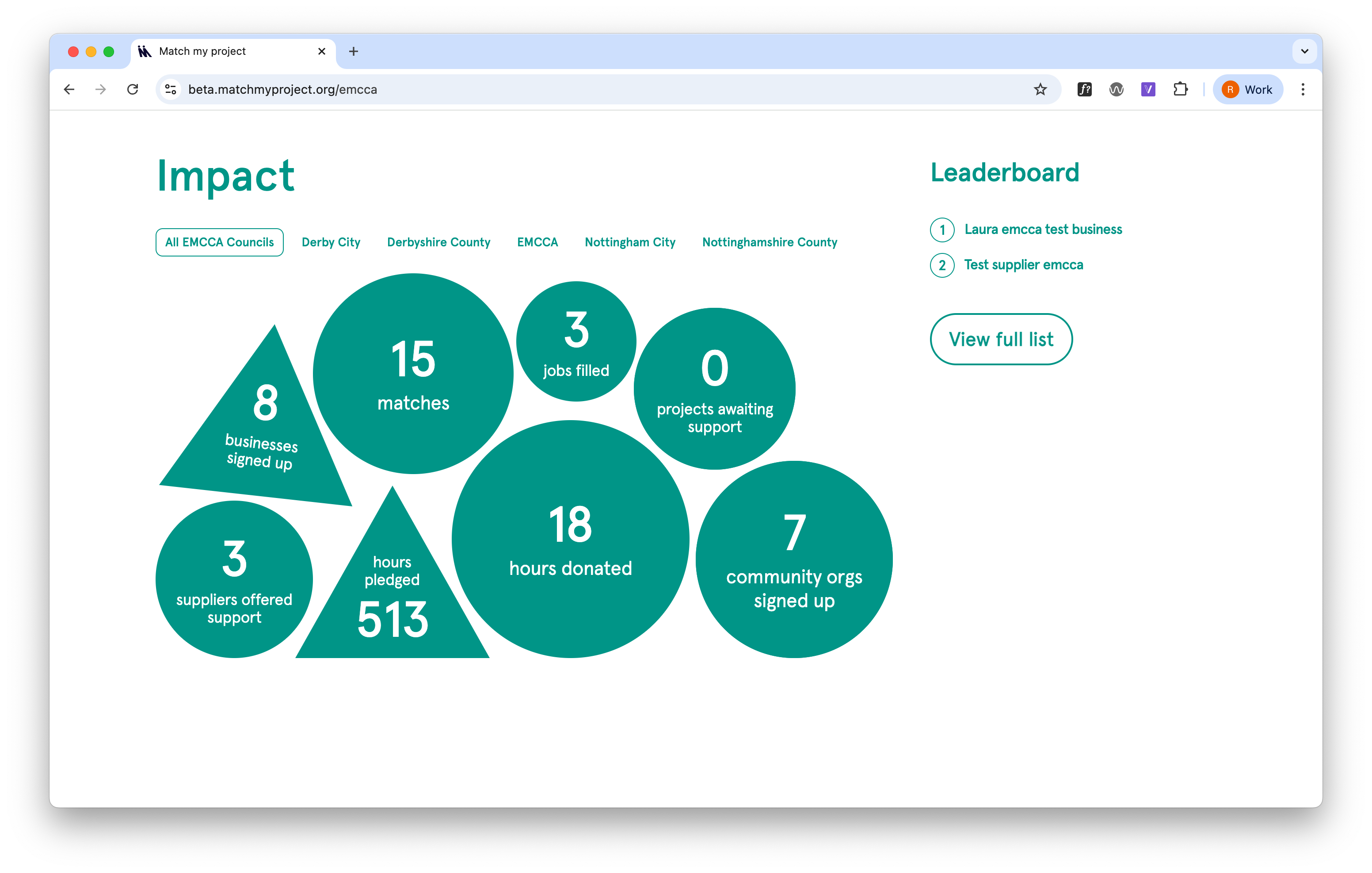
How impact data is affected
The leaderboard and registered organisations can’t be filtered by authority. Everything else can.
Step by step guide: authority tags
1. Signup
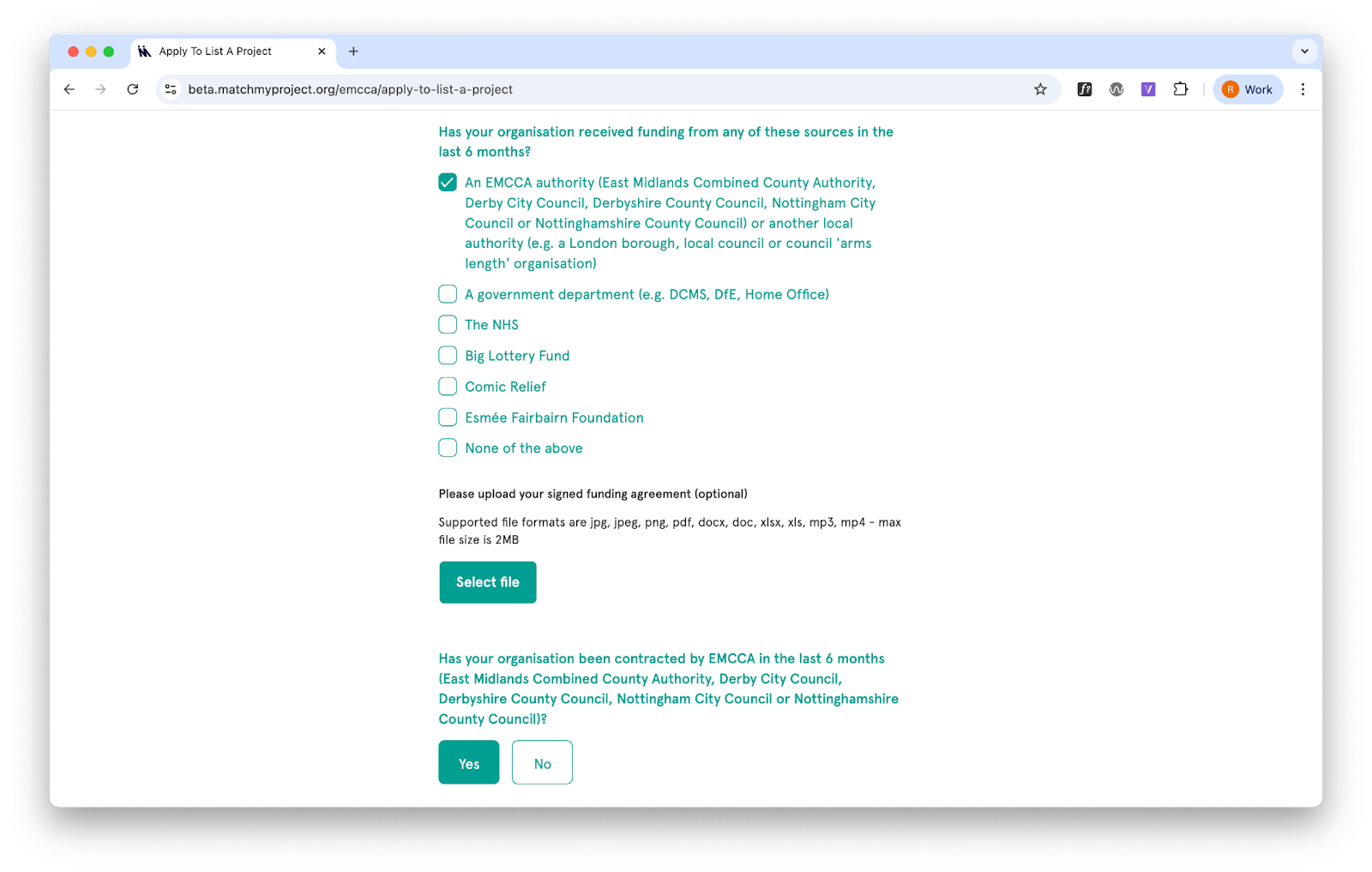
Community organisations answer whether they’ve received funding from, or been contracted by any of the EMCCA authorities.
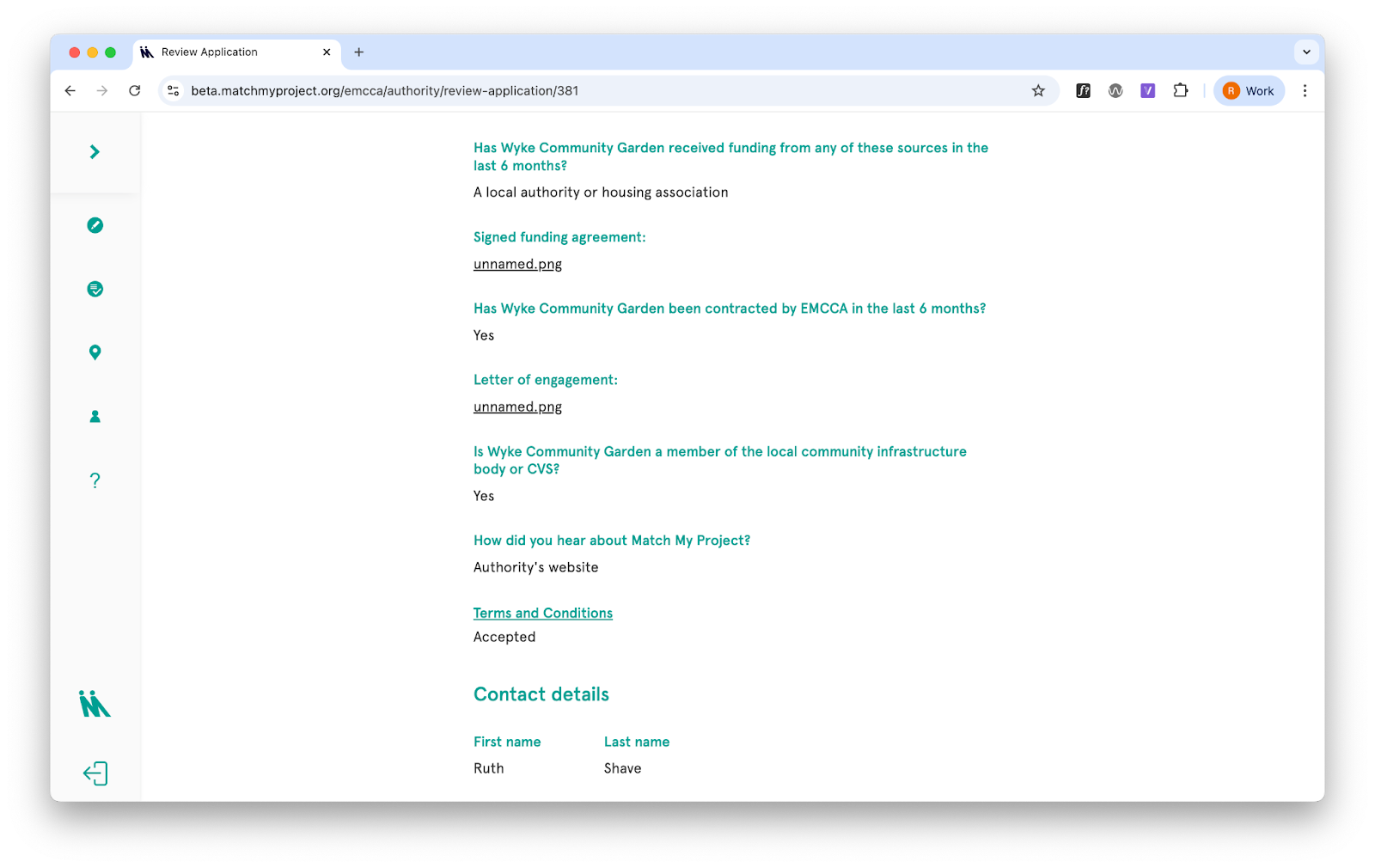
The answers to these questions are visible to the authority when viewing an application.
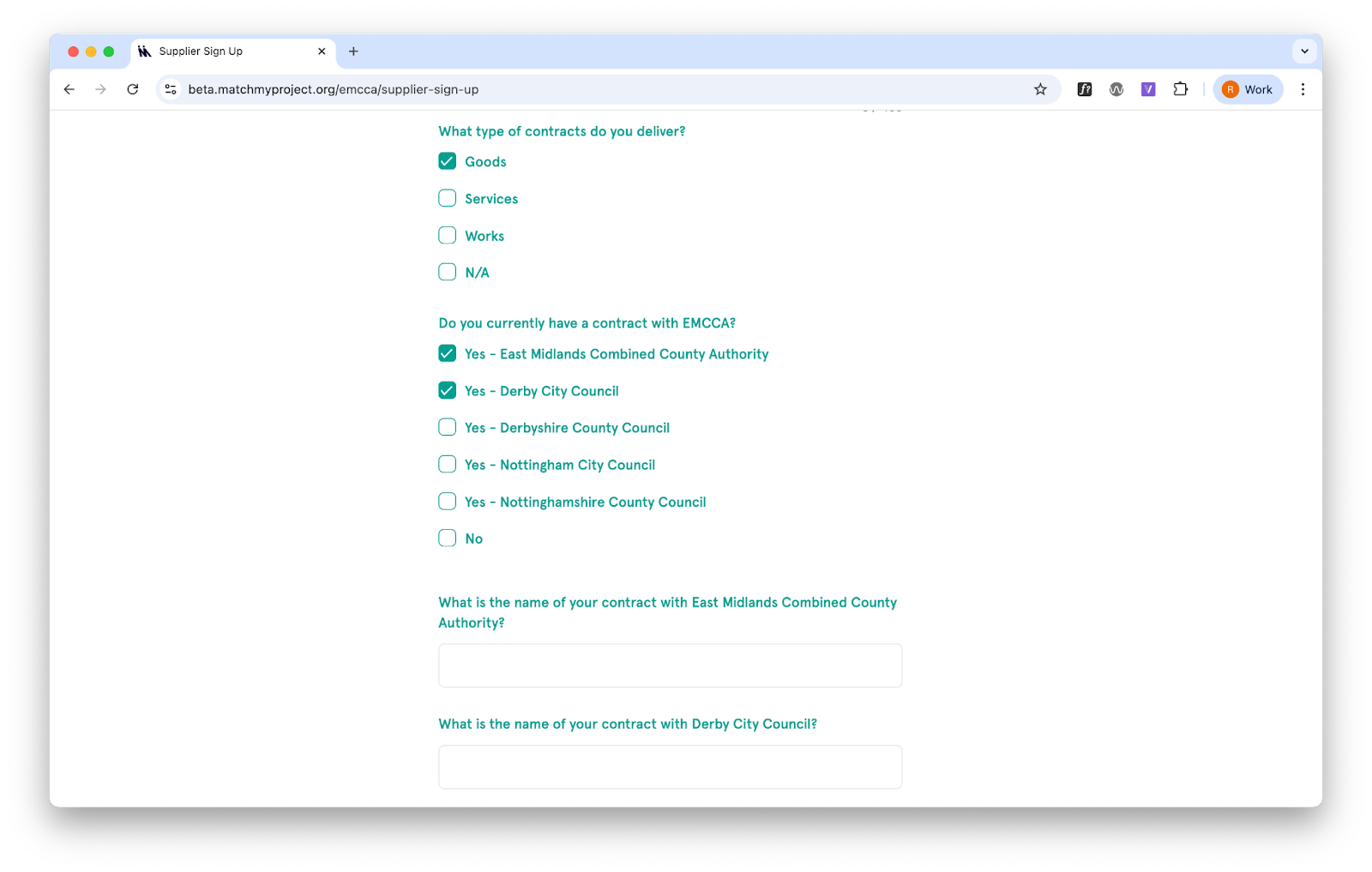
Suppliers answer whether they have a contract with any of the EMCCA authorities, and what the contract title is.
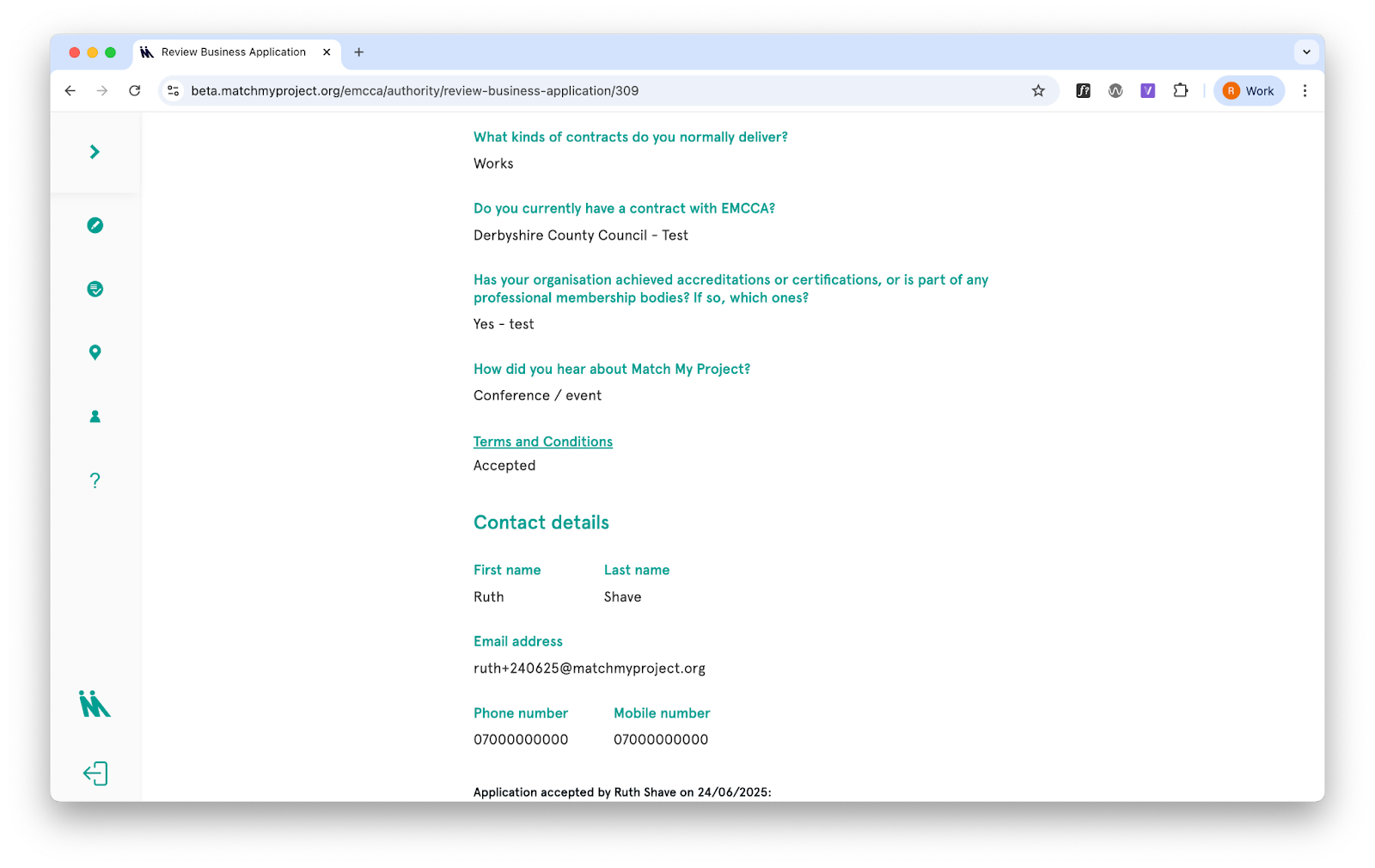
The answers are visible to authority users when reviewing an application.
2. Community-initiated projects
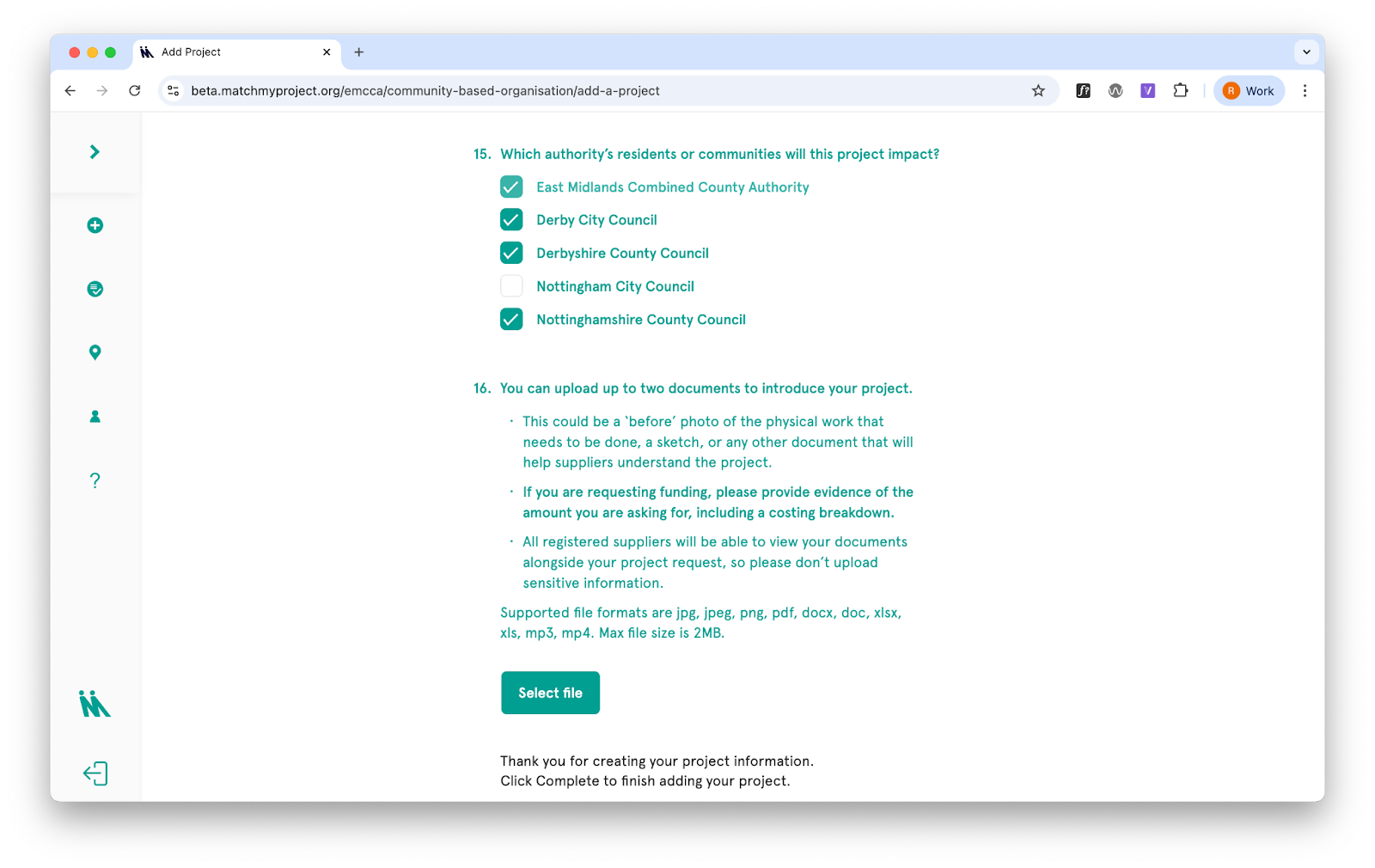
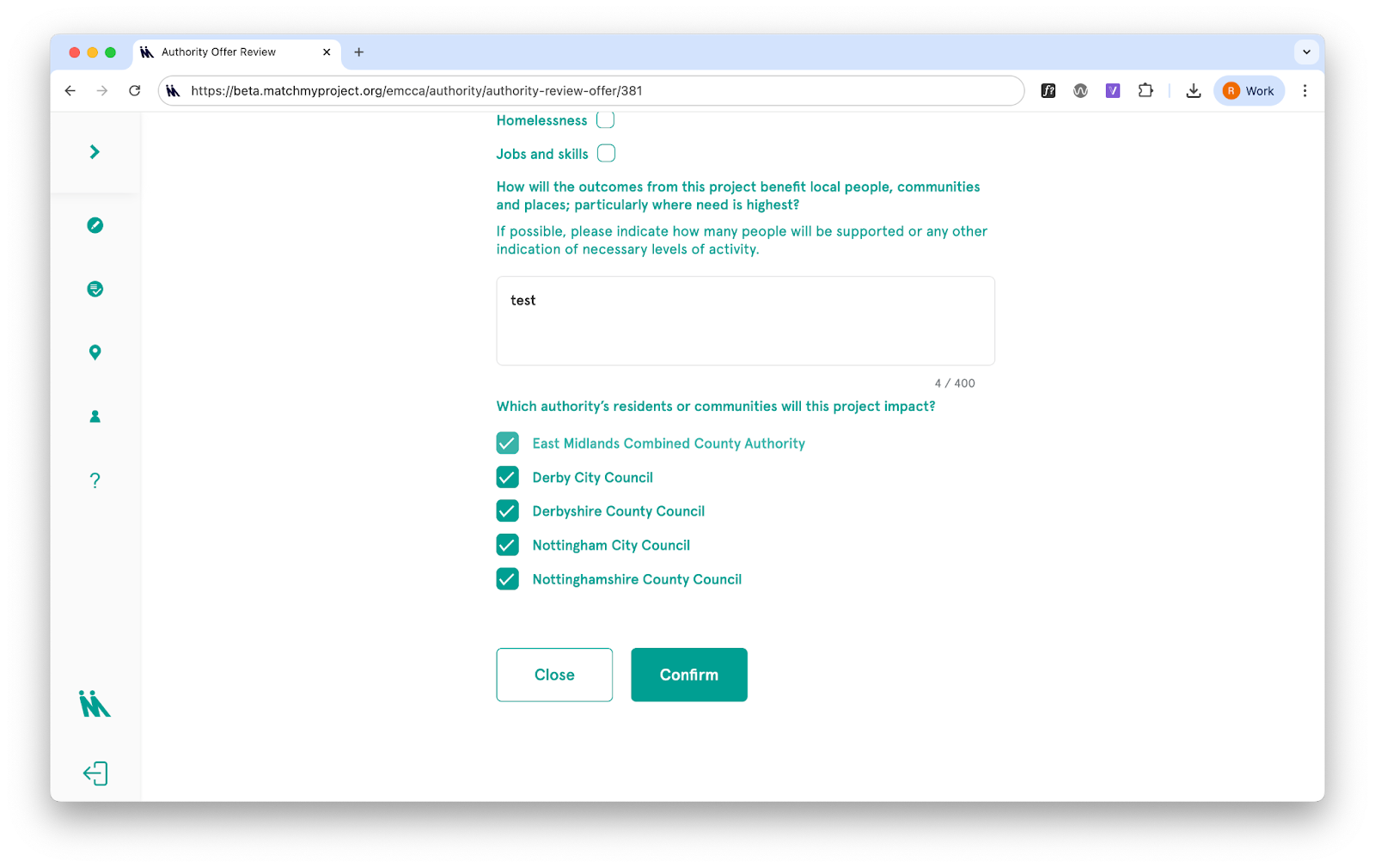
Community organisations are asked which authorities’ residents or communities the projects will impact. Multiple authorities can be selected.
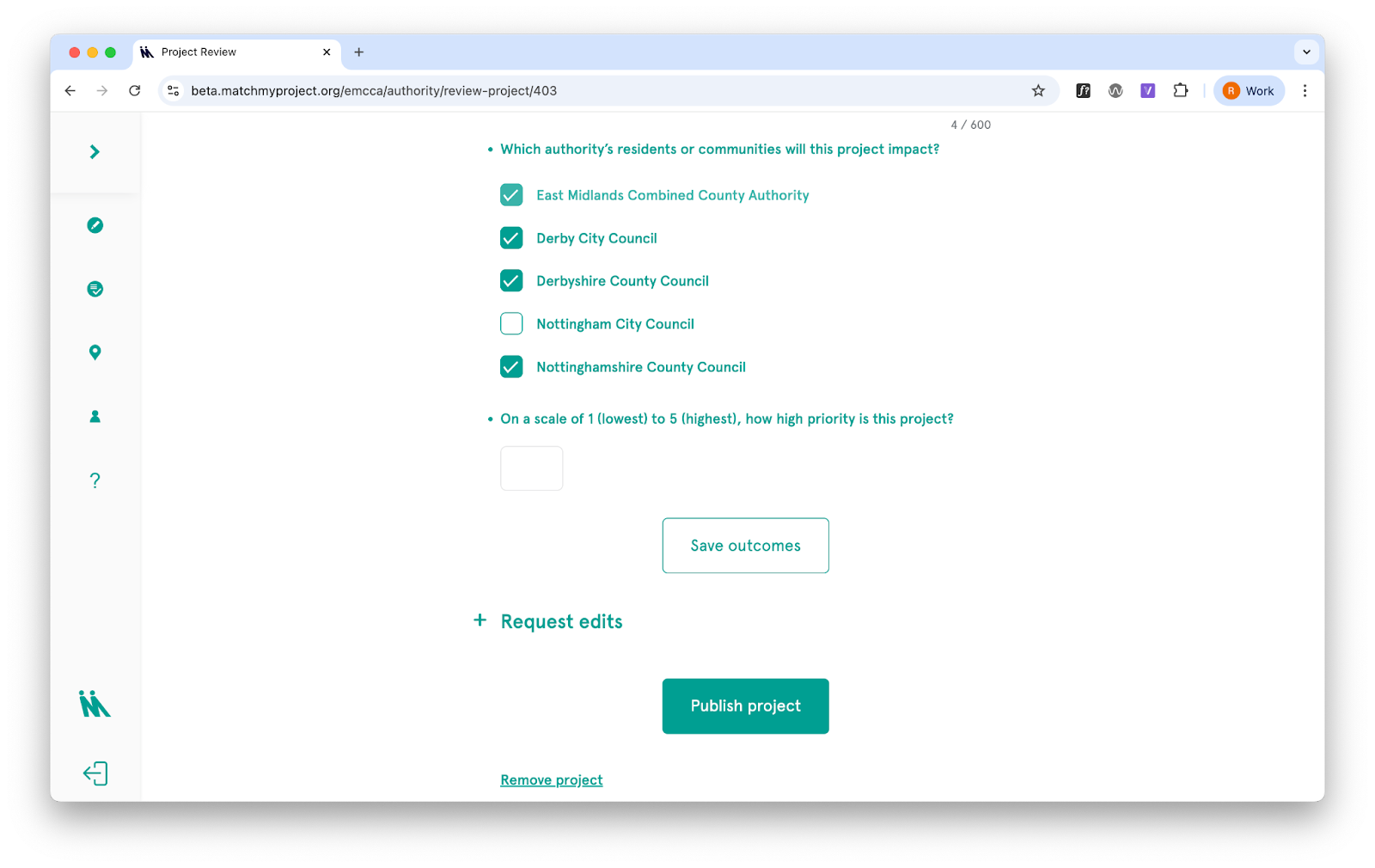
When reviewing the project, the authority has the option to edit the authorities selected by the community organisation.
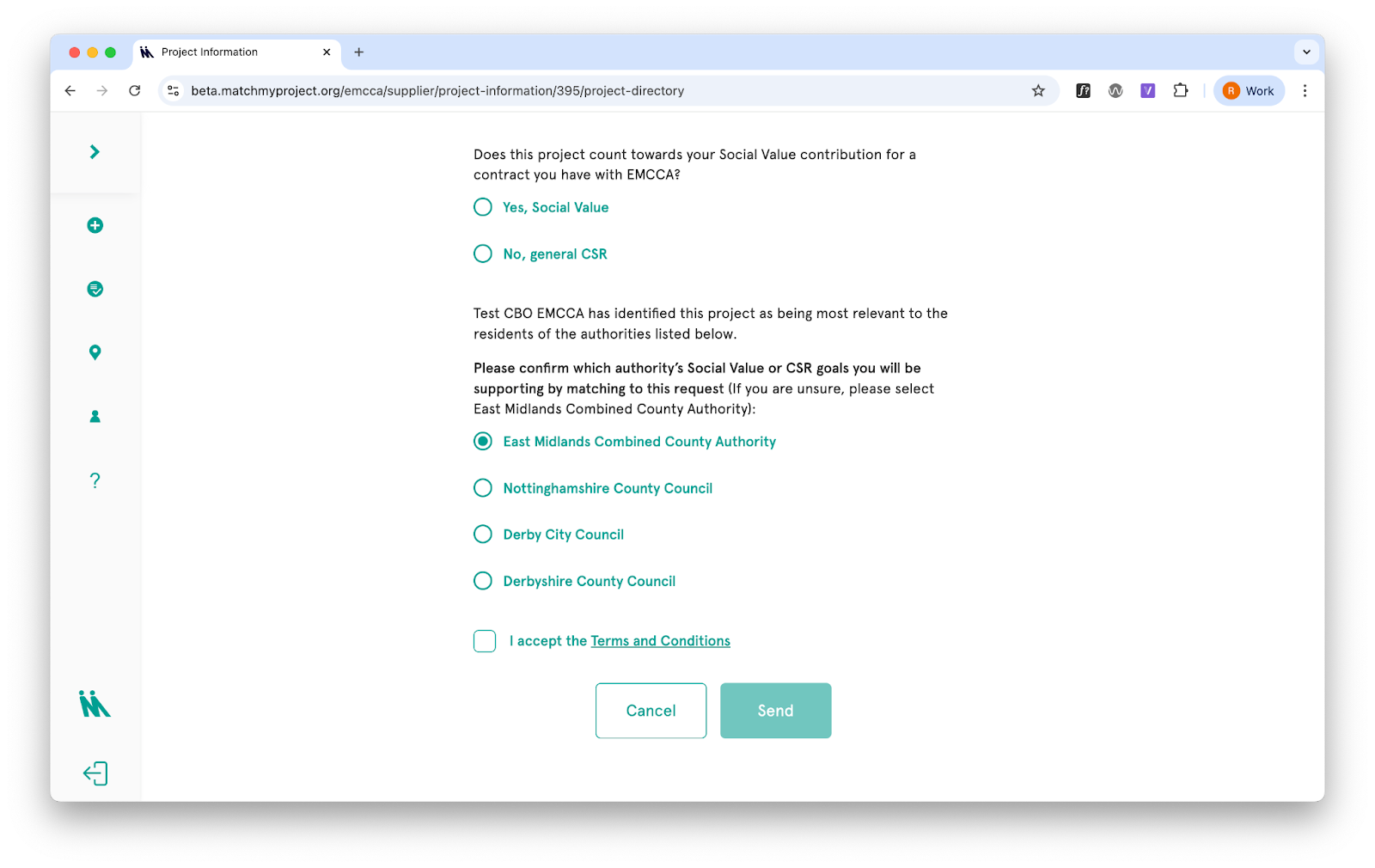
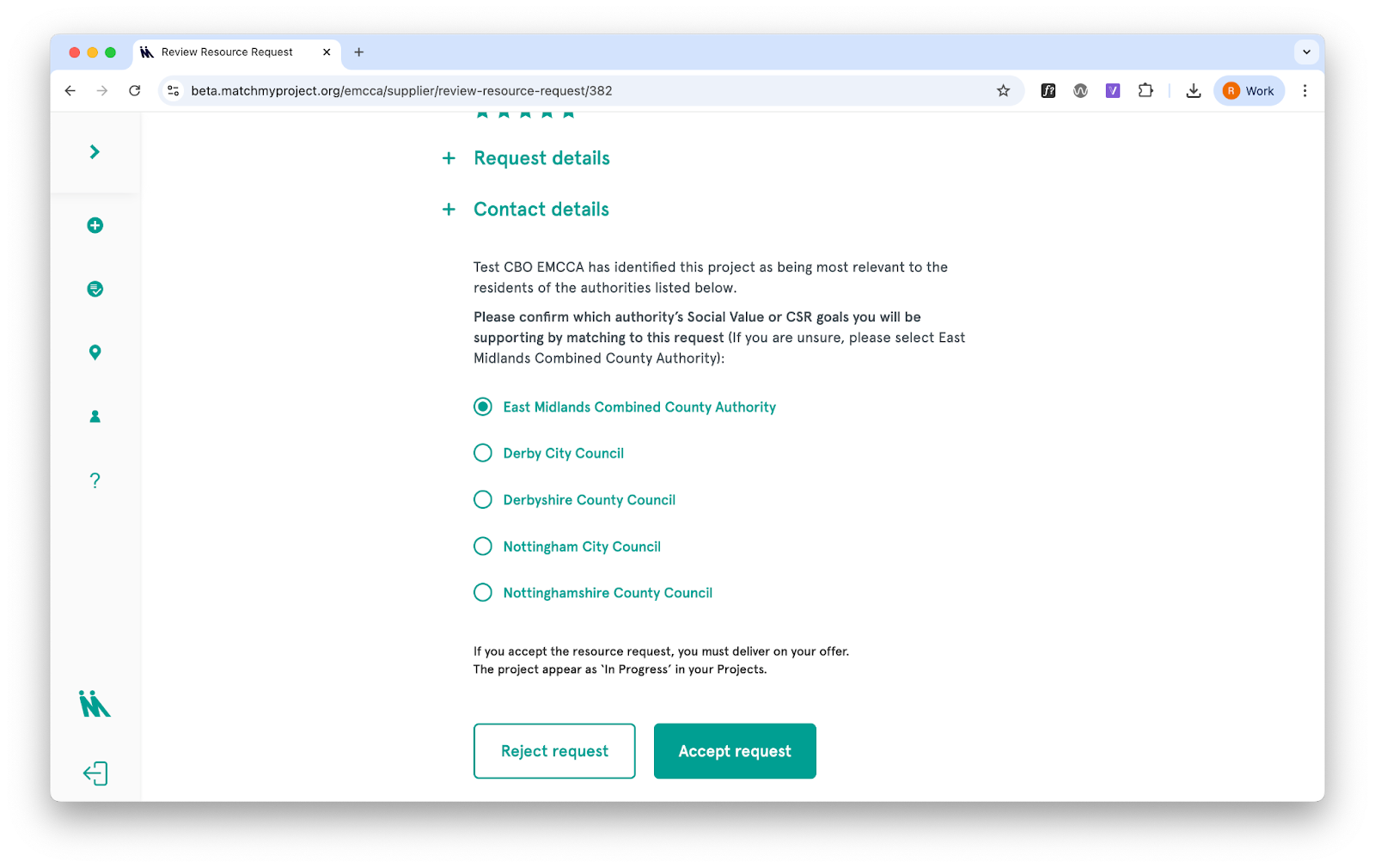
Suppliers confirm which authority the project is connected to at the point of match. They see a list of authorities based on what the community organisation selected (or the revised list if edited by the authority). This tag determines which authority’s impact data the match counts towards.
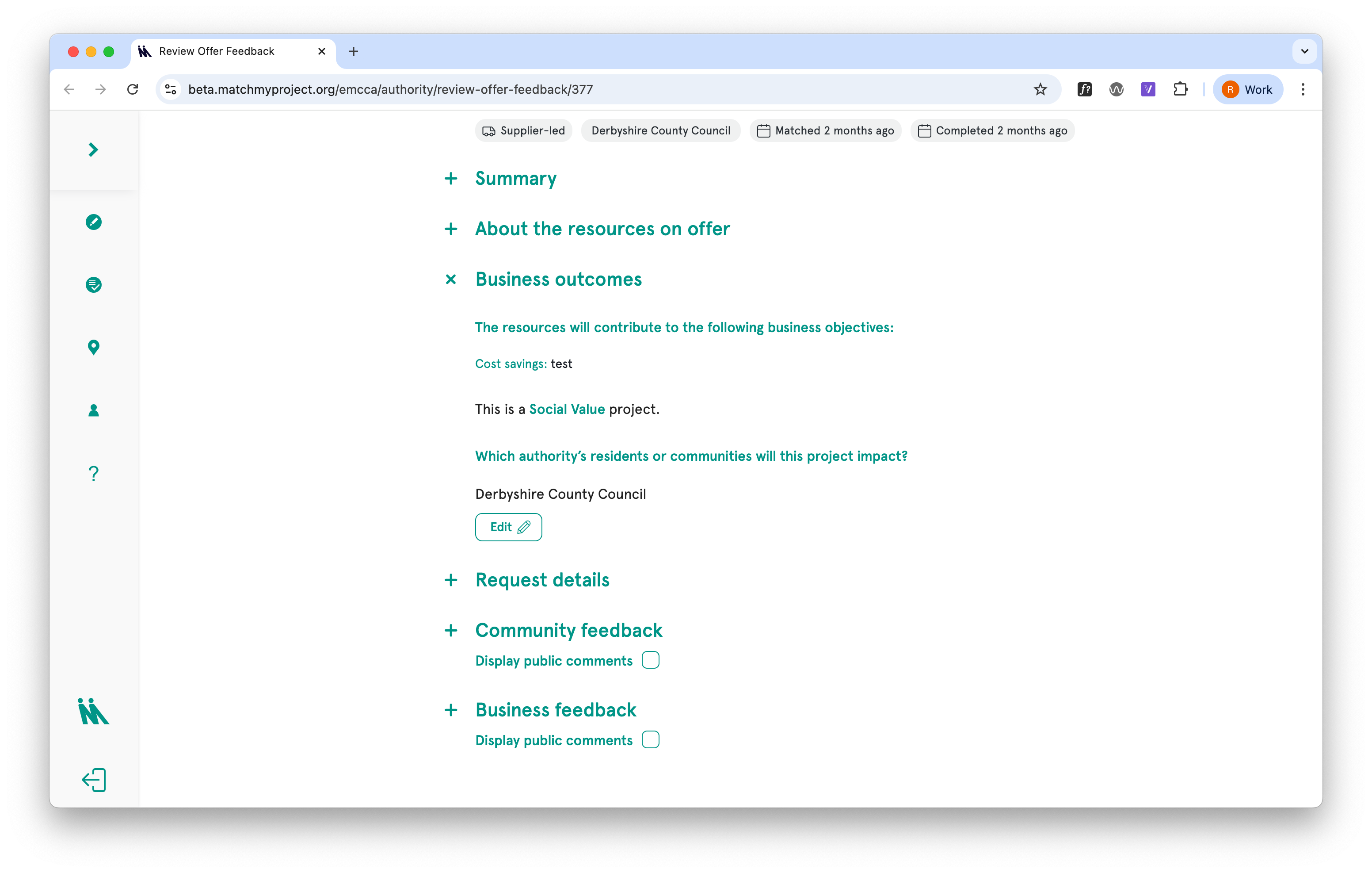
The authority can see (and edit) the relevant information under the project’s ‘Project outcomes’ and ‘Business outcomes’.
3. Supplier in-kind support offers
When the community organisation requests support, they add the relevant authority tags.
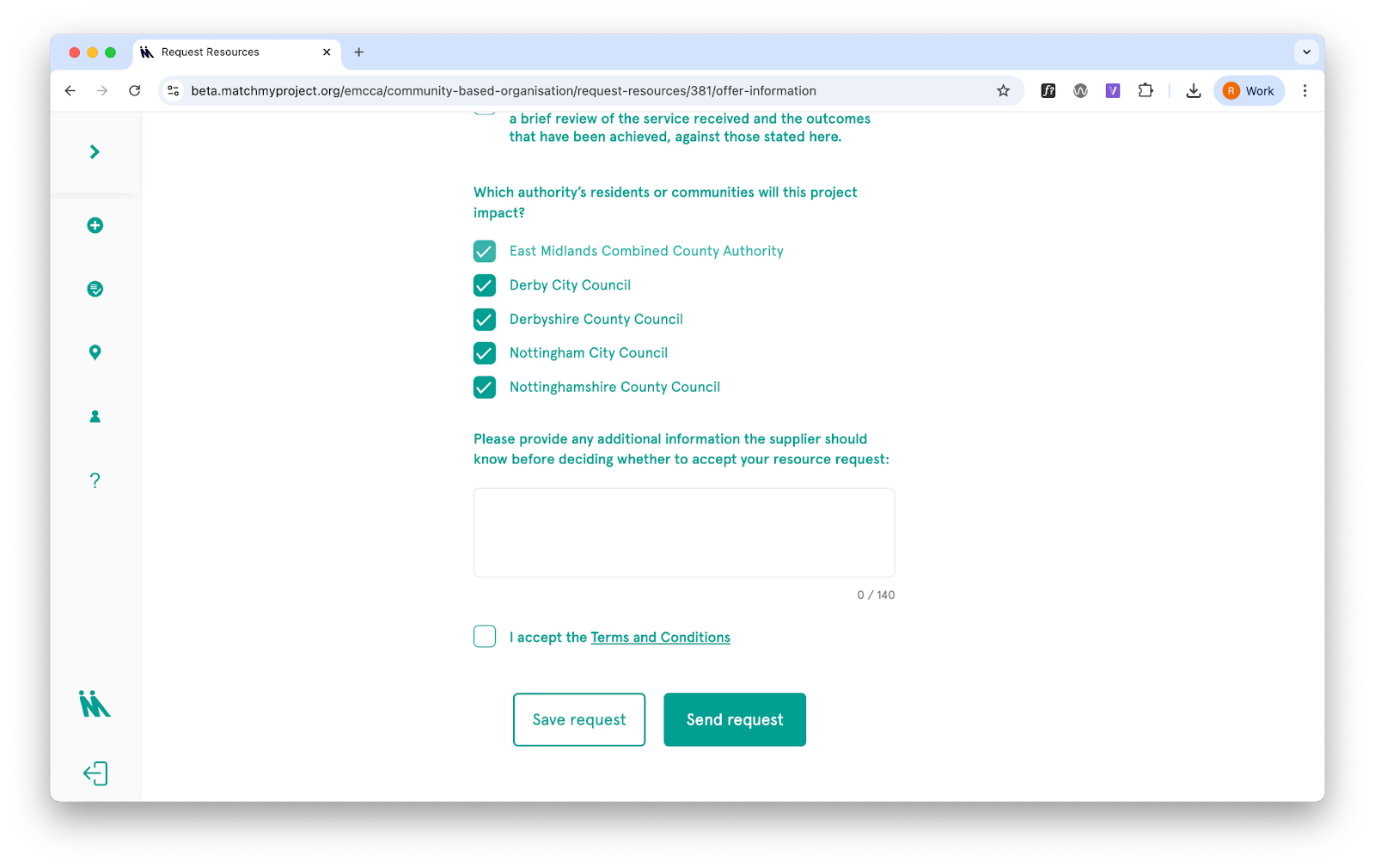
The answers to these questions are visible to the authority when viewing an application.
When the supplier matches to a request, they select the relevant single tag. This determines which authority’s impact data the match counts towards.
The authority can see the relevant information under the offer’s ‘Project outcomes’ and ‘business outcomes’
4. Jobs and training
Jobs and training opportunities are tagged to the authority based on successful candidates. They select the most relevant authority from a list of all 5 EMCCA authorities.
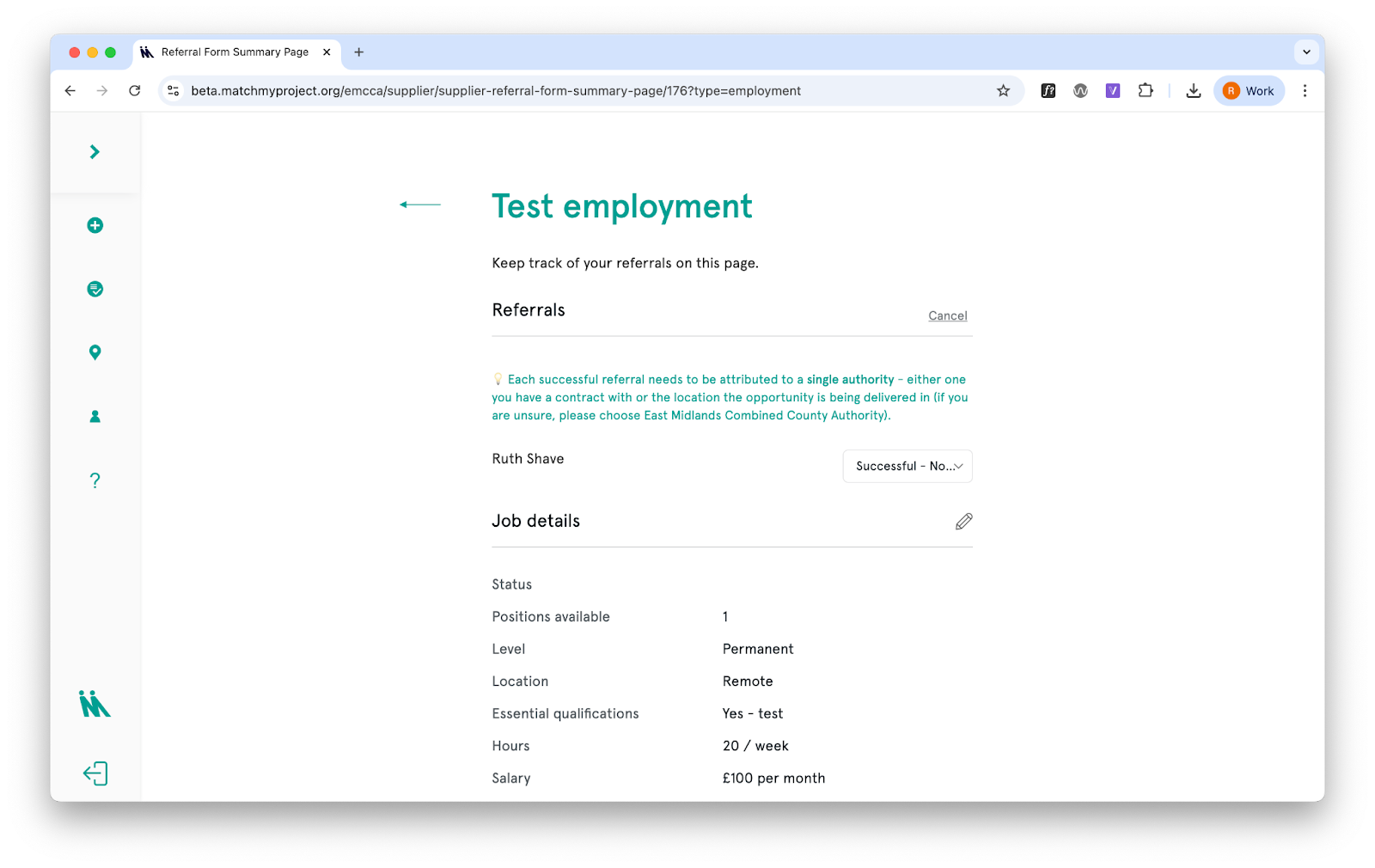
The authority can edit the tag when viewing the project.