Stuck projects can now be closed
Projects don’t always go to plan. Whether an organisation has gone into administration, stopped responding, or a project has simply stalled, authority users previously had no way to close it out — leaving dashboards cluttered and data incomplete.
Now, a set of new tools gives you more control over the full project lifecycle, from closing stuck projects to managing offers and edits, all from within the platform.
✅ Close projects that won’t be completed
When a project is clearly not going ahead, you no longer have to leave it open indefinitely. Authority users can now force-close stalled projects, keeping your projects list accurate and your data clean.
💡 How it works
Force-close becomes available 6 months after a match with no due date, or 2 months after a due date has passed. If one party has already given feedback, it becomes available once all three automated reminders have been sent to the other organisation.
You’ll be asked to select a reason for force-closing, and if none of the options fit, you can describe the situation in your own words.
✅ Know the impact before you close
Force-close is a last resort, and it’s worth understanding what happens when you use it.
When an organisation hasn’t given feedback and a project is closed, they’ll automatically receive a 3-star rating for that project, and it will show as ‘Completed: Closed’ on their dashboard. Lower ratings can affect an organisation’s credibility with future partners, and ‘Completed: Closed’ signals the project ended without confirmation of impact.
Before force-closing, it’s worth chasing feedback one more time — or using any updates from direct contact with the organisation to complete the project properly.
✅ Organisations still get a chance to respond
Force-closing isn’t immediate. Suppliers and community organisations that haven’t submitted feedback will receive an email notification and have 7 days to still submit it. After that window closes, the 3-star rating applies and the project shows as ‘Closed’ on your dashboard.
You don’t need to chase manually during this window — the system handles it for you.
Request edits within the platform
✅ Authorities can request edits to live projects & offers
For authority users, you can now request edits to any live project or offer listing that isn’t already under offer or request, directly from the project page using the new ‘Request edits’ button. One less thing to manage over email.
✅ Give a reason for declining resource requests
When you need to decline a resource request, you can now share a reason why. Clearer communication, less back and forth.
More flexibility for community organisations
✅ Community organisations have more flexibility managing resource requests
When requesting resources from the Supplier Offer directory:
- By visiting the offer page, they’ll see a ‘View request’ button at the bottom. From there, they can view and edit the request.
- If the request isn’t accepted, the community organisation will be able to see why.
Suppliers have more control over their offers
✅ Edit & remove offers to support community-led projects
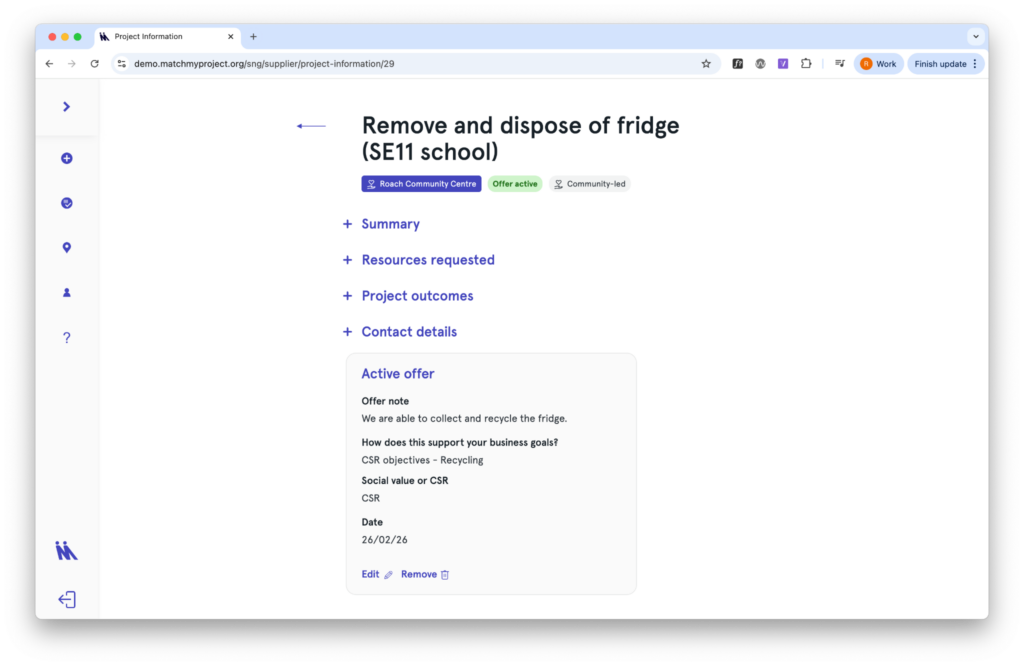
Things change. Community organisations take time to respond, circumstances shift, and sometimes a supplier’s offer needs updating before a match is made. Now, suppliers can manage their active offers directly from the project page.
Suppliers will see a new section showing their offer details, with ‘edit’ and ‘remove’ buttons at the bottom. Any changes are automatically flagged to the community organisation.
✅ Expired offers can easily be updated
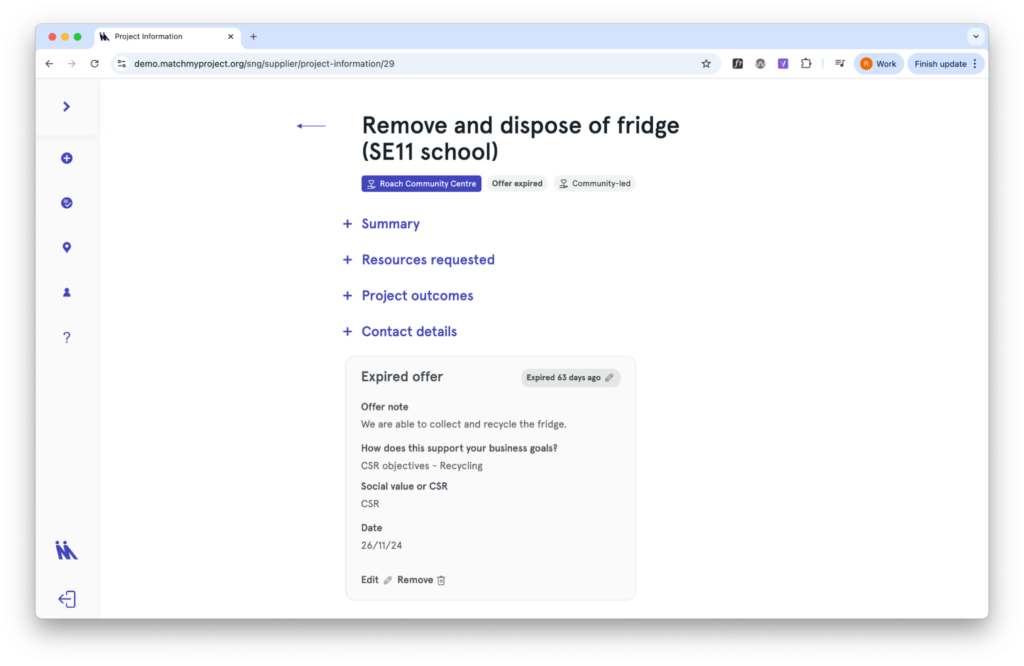
Offers which automatically expire after the project end date or after one year can also be updated and reactivated, giving suppliers more control over when their offer is live and making it easier to match.
✅ Clearer steps for suppliers accepting match requests
If a support offer is available to multiple community organisations, the matching process is now more clearly guided. A new project card is created for each match, using the same offer title, and sits alongside the active offer card in My Projects.
💡 Have suggestions for future updates? We’d love to hear them. Email us at support@matchmyproject.com.