Turn a completed case study into ready-to-post LinkedIn content – copy, hashtags, and images, drafted for you.
What’s available
✅ Easily generate a post once a project’s complete and feedback is approved. (It works best created after the case study is published, so content is richer.)
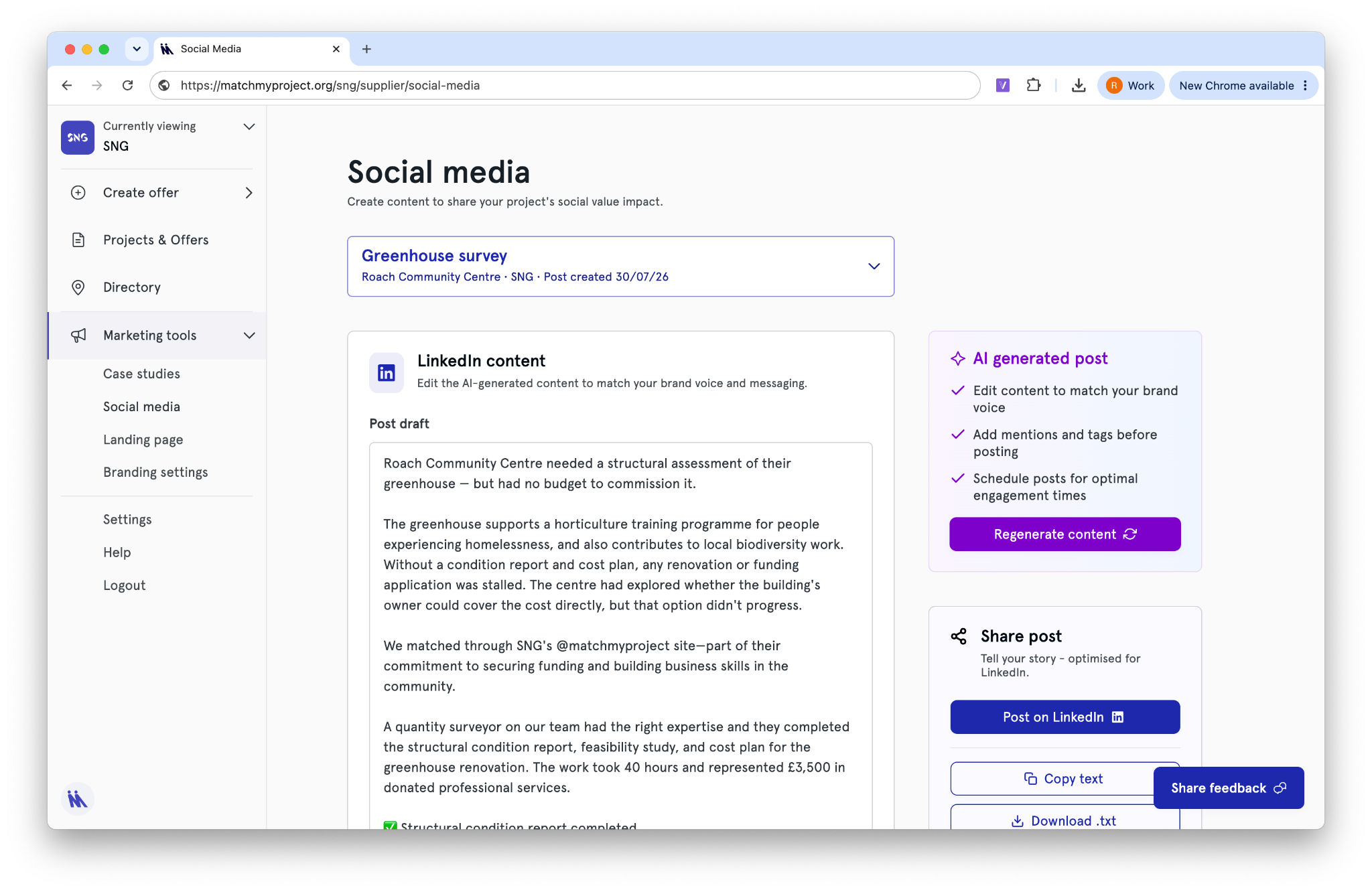
✅ Text, hashtags, and images live together in one place; select and adjust hashtags before sharing
✅ Share with your team for feedback via copy or .txt download
✅ Guided export steps when you’re ready to post
✅ All content is saved with a timestamp for future reuse
What it means
Save time
Social content creation takes time that Social Value teams rarely have spare, and it’s often unclear how to frame this kind of work for a professional audience. This drafts it for you: text, hashtags, and images ready to review rather than write from scratch, already pitched for the right reader.
Collaborate easily with your team
It’s faster to approve something drafted than to create it from nothing. Share with your team via copy or download before it goes live, so it’s on-brand before anyone sees it.
Find it again later
Content’s saved with a timestamp, so you’re not searching LinkedIn later to try and find something you posted months ago.
How it works
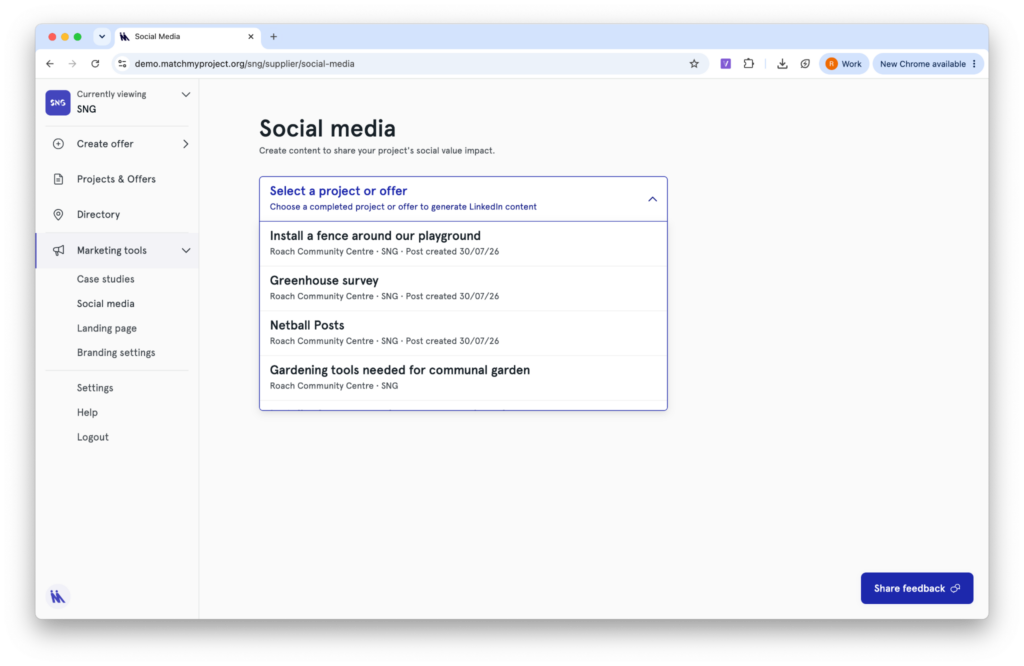
Open the ‘Social media’ page from the sidebar. You’ll see a dropdown with a list of completed, authority approved projects: select one to get started.
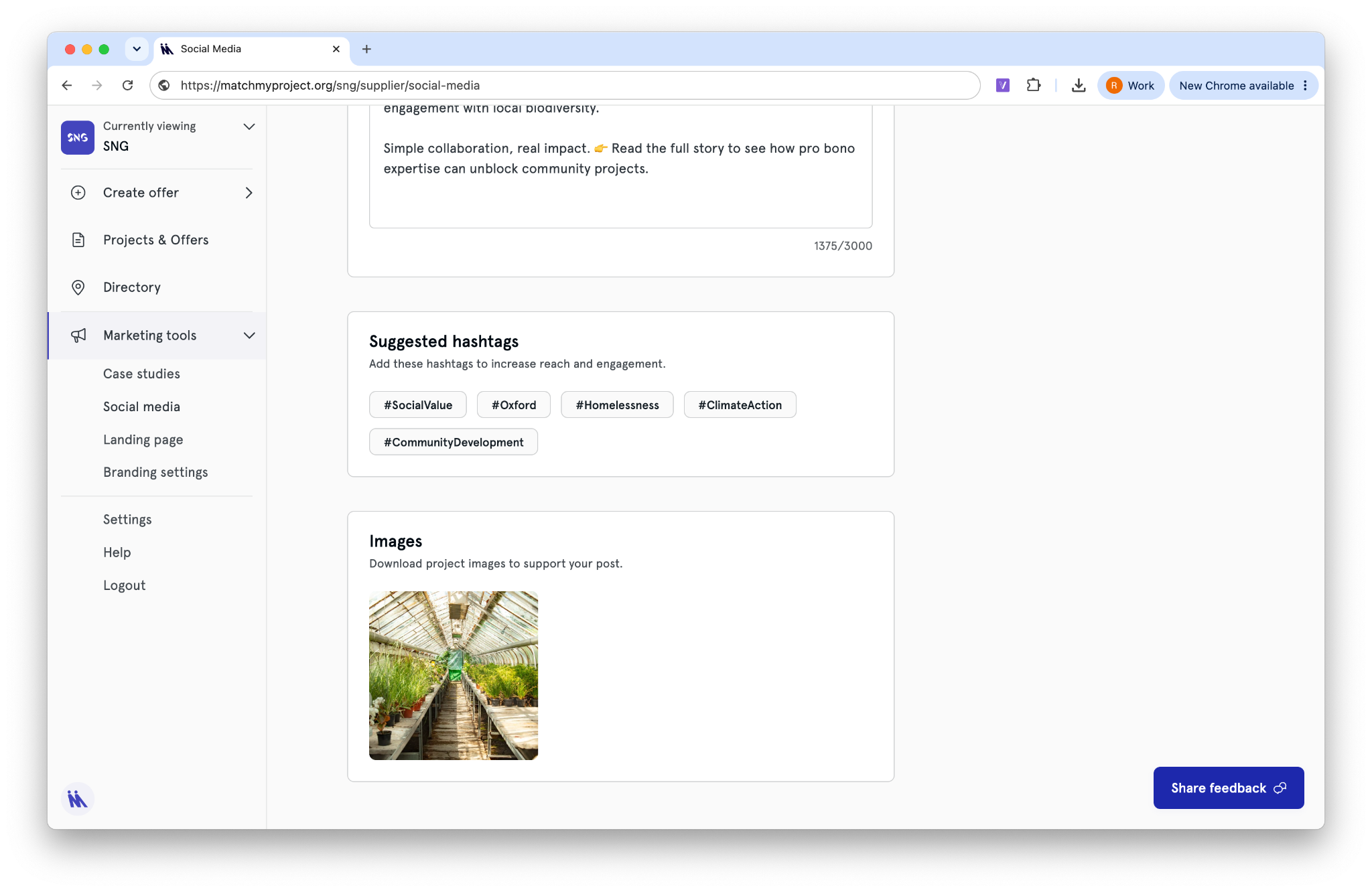
View and edit your draft: text, suggested hashtags and images. You can copy or download the content if you need to share it with anyone before posting.
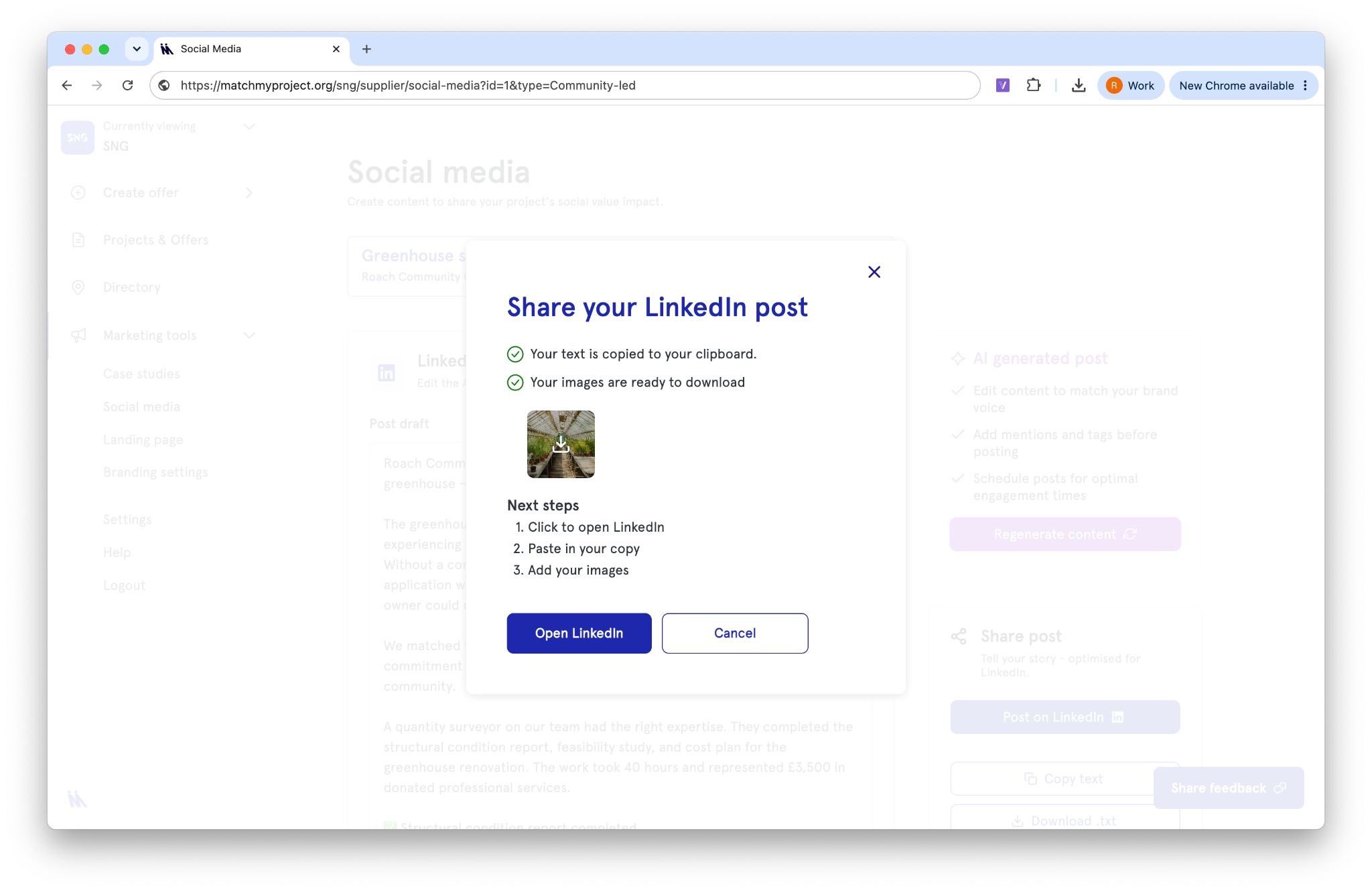
When ready to post, you’ll be guided through the process step by step.
If you have any feedback, use the ‘Share feedback‘ button on the bottom right.