


Team up with other suppliers to complete projects that need more than one organisation to deliver.
What’s available
✅ Mark yourself ‘Open to collaboration’ in a new Collaboration Settings page, so other suppliers can find you in the Organisation Directory and easily share projects with you.
✅ Add up to 3 partner suppliers to your offer on a project, each covering the resources your organisation can offer.
✅ Partners have up to 2 weeks to accept or decline.
✅ If a partner declines or doesn’t respond in time, invite a replacement or submit the offer solo instead.
✅ The community organisation sees the full offer with every partner’s contribution listed, and rates each supplier individually once the project’s complete.
What it means
Create impact you couldn’t make alone
Some projects need resources no single supplier can offer, and used to go unfulfilled as a result. Joint offers let you team up with others so you can complete projects you’d otherwise have to pass up on.
Get found for what you can offer
Mark yourself ‘Open to collaboration’ and other suppliers can find you in the directory by what’s in your profile: the resources and capabilities you list are what makes you matchable for a joint offer, not just your name.
Know where you stand
All communication currently happens by email – invites and decisions. Partners have two weeks to respond, so you’ll know within a fixed window whether to confirm and send your offer, or find a replacement partner.
How it works
Getting set up
Set your Collaboration Settings from the sidebar: including your available resources and contacts.
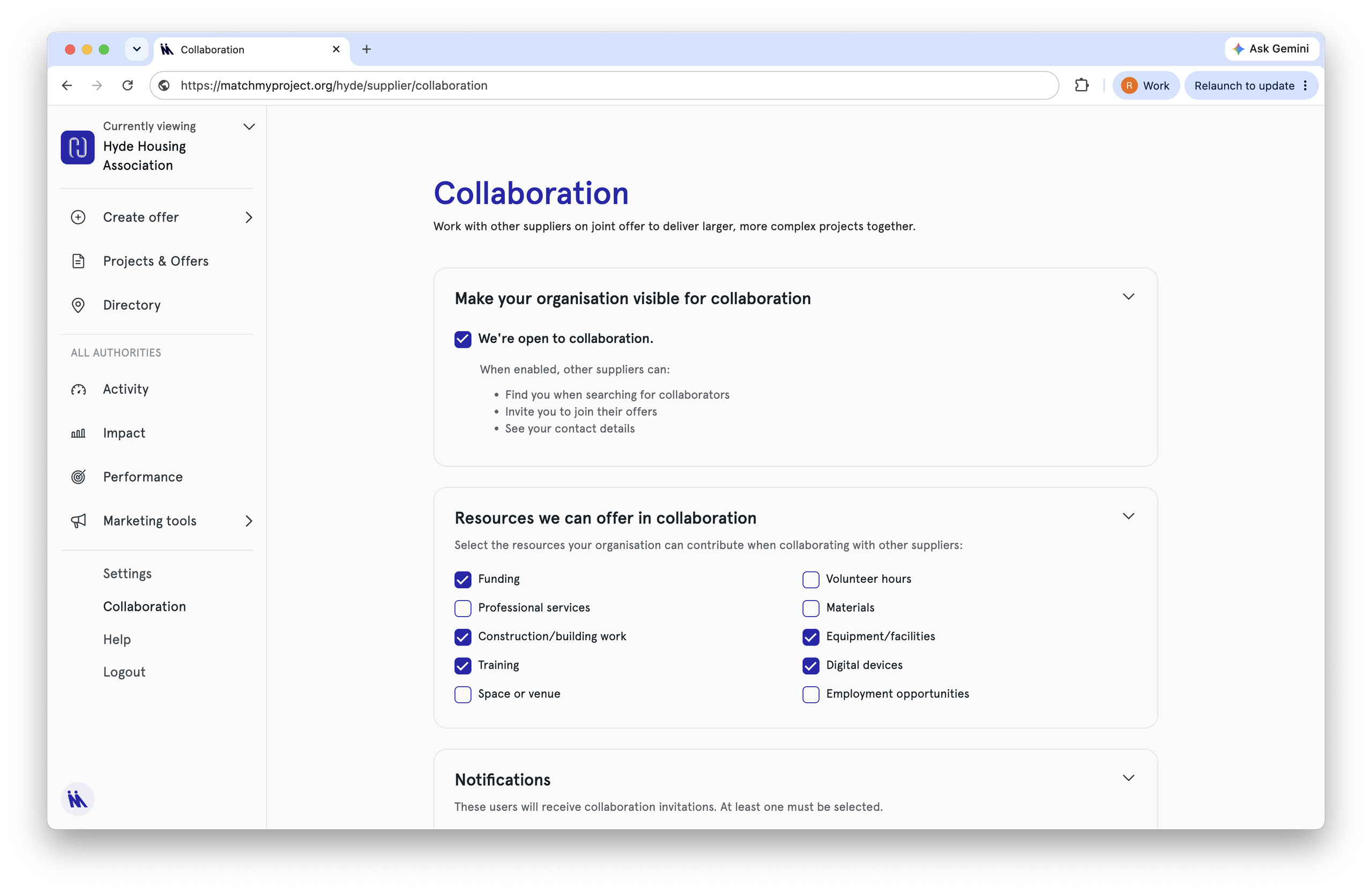
Your organisation will be shown as ‘open to collaboration‘ in the Organisation Directory, along with the resources you’ve selected.
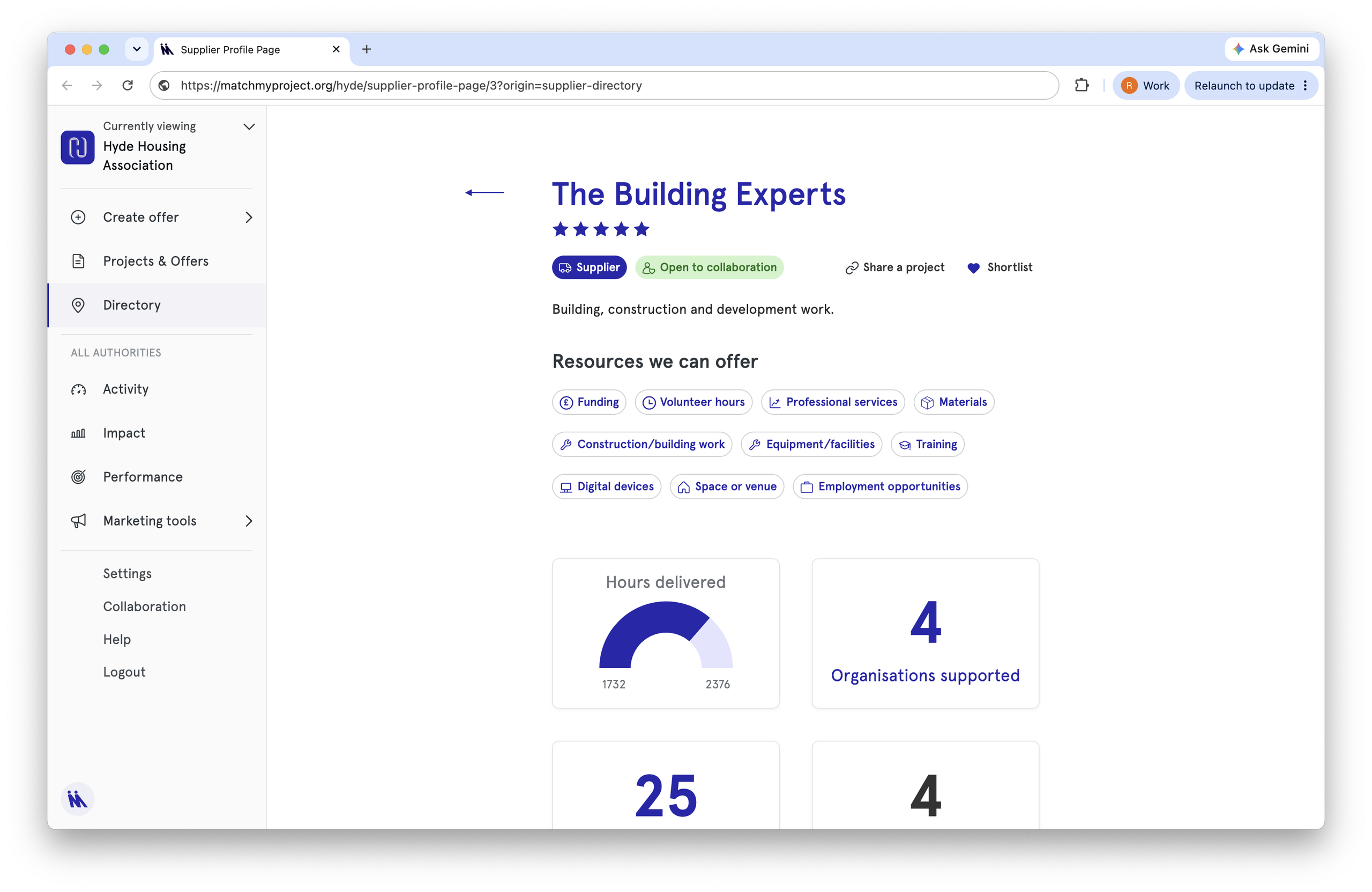
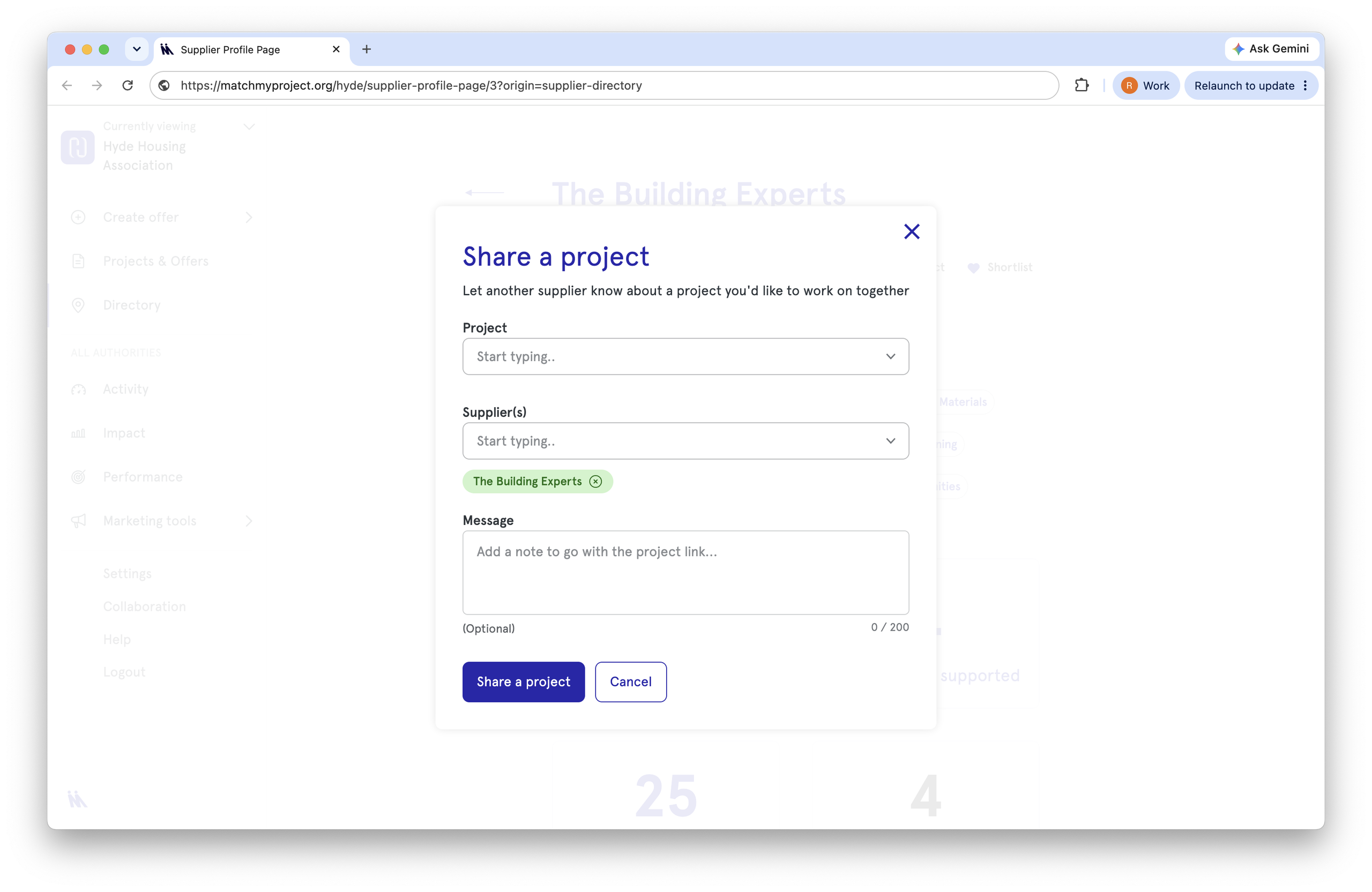
Use the ‘Share a project’ button to share projects with suppliers you are interested in working with, before crafting a joint offer; or add organisations to your shortlist.
Creating a joint offer
Fill in the offer form selecting the new ‘Joint offer’ option, then add the partner suppliers you want to invite (up to 3 organisations total, including you).
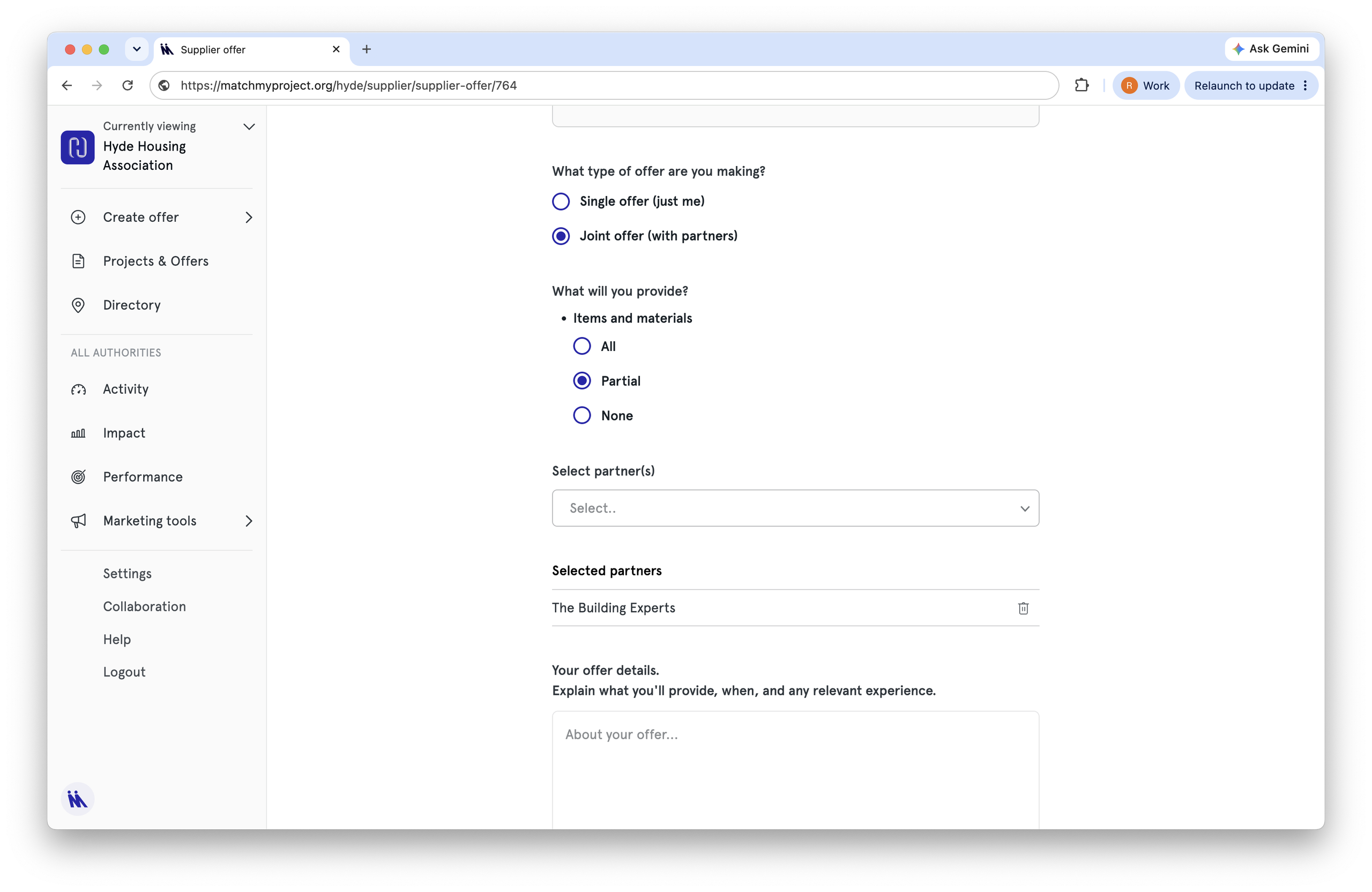
For now, you will only be able to invite other suppliers on the free trial of the new features. Please contact us if you would like to invite a supplier not shown on the dropdown list.
Invited partners get an email and have up to 2 weeks to accept or decline.
Matching and delivery
Once every partner has confirmed you’ll be notified. Review and submit to the community organisation.
If a partner declines or doesn’t respond in time, you’ll be notified and can invite someone else or submit solo.
At the end of a collaborative project, all organisations give feedback based on who they worked with.
Share your feedback
We’d like to know what you think. Email us or use the in-platform ‘Share feedback’ button.